



Ditambahkan: Denis Rubinov
Versi: 1.8.8
Ukuran: 18.7 MB
Diperbarui: 16.11.2019
Developer: StreamElements
Kategori: Alat
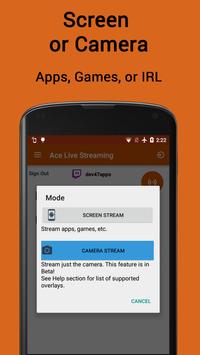
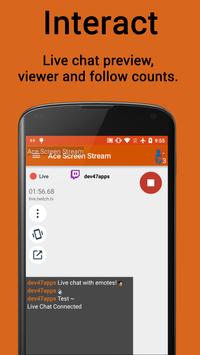
- Dua mode operasi.
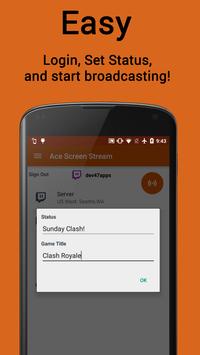
- Proses membuat aliran sesederhana mungkin.
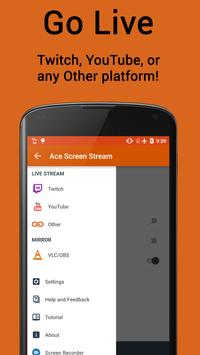
- Dukungan untuk situs streaming utama.
- Kontrol siaran Anda dari bilah notifikasi.
- Fungsi bisu untuk panggilan masuk.
- Gratis untuk digunakan.
Deskripsi
Aplikasi Ace Live Streaming diperiksa oleh antivirus VirusTotal. Sebagai hasil pemindaian, tidak ada infeksi file yang terdeteksi oleh semua tanda tangan terbaru.
Cara memasang Ace Live Streaming
- Unduh file APK aplikasi dari apkshki.com.
- Temukan file yang diunduh. Anda dapat menemukannya di baki sistem atau di folder 'Download' menggunakan manajer file apa pun.
- Jika file yang diunduh berekstensi .bin (bug WebView di Android 11), ubah namanya menjadi .apk menggunakan pengelola file apa pun atau coba unduh file dengan browser lain seperti Chrome.
- Mulai penginstalan. Klik pada file yang diunduh untuk memulai penginstalan
- Izinkan penginstalan dari sumber yang tidak dikenal. Jika Anda menginstal untuk pertama kalinya Ace Live Streaming bukan dari Google Play, buka pengaturan keamanan perangkat Anda dan izinkan penginstalan dari sumber yang tidak dikenal.
- Lewati perlindungan Google Play. Jika proteksi Google Play memblokir penginstalan file, ketuk 'Info Lebih Lanjut' → 'Tetap instal' → 'OK' untuk melanjutkan..
- Selesaikan penginstalan: Ikuti petunjuk penginstal untuk menyelesaikan proses penginstalan.
Cara memperbarui Ace Live Streaming
- Unduh versi baru aplikasi dari apkshki.com.
- Cari file yang diunduh dan klik file tersebut untuk memulai penginstalan.
- Instal di atas versi lama. Tidak perlu menghapus instalasi versi sebelumnya.
- Hindari konflik tanda tangan. Jika versi sebelumnya tidak diunduh dari apkshki.com, pesan 'Aplikasi tidak terinstal' mungkin muncul. Dalam kasus ini, hapus instalan versi lama dan instal versi baru.
- Mulai ulang lampiran Ace Live Streaming setelah pembaruan.








Meminta pembaruan aplikasi
Ditambahkan Denis Rubinov
Versi: 1.8.8
Ukuran: 18.7 MB
Diperbarui: 16.11.2019
Developer: StreamElements
Kategori: Alat















Ulasan untuk Ace Live Streaming
Not for me I'm afraid. I tried it as an alternative to another app, but in the end, I reverted back to the other as it has more features and can capture internal audio as well as mic. Sorry Devs. It does seem like a good app, just not for me.
Tried them all This on the Best for LG phones. From Optimus LG Slider to To LG Stylo 4. Perfect! one glitch. I installed but screen was flipped showing letters backwatds on anything printed I filmed. Adjusted mirroring. Did not work. Rebooted phone and seting worked. FYI reboot phone after install and adjustments. LG problem not Ace Live Streaming.
I use a different streaming program like obs and I like this program so that I could stream onto my gaming. I wanted to buy the unlimited Pro but every time I click on it it just went click click click nothing ever popped up no screen to purchase nothing I wanted to buy and you failed at letting me buy.
I think this app has a lot of potential. I am new to streaming, and I set up OBS on my mac and then thought it would be cool to livestream to dlive.tv while I was walking my dog or something. So I tried this app out and it worked for 5 seconds when I put in the rtmp link followed my my stream key... Now DLive.tv has been buffering for over 24 hours and I can't stream from any client anymore... I'm trying to get Dlive support to help me with a support ticket. But it's just annoying that I even have to go thru this trouble. Idk if it's me just being ignorant of how streaming works, or this app, or OBS, or Dlive, but the whole situation is just frustrating...
congratulations! You almost entirely killed my Twitch account! I was doing a test stream with this app and a glitch occurred that caused the app to stop streaming, however my twitch was stuck streaming permanently and I couldn't get it to stop no matter what I did. finally after uninstalling this stupid app, my twitch stopped streaming. I'm never using this app ever again!
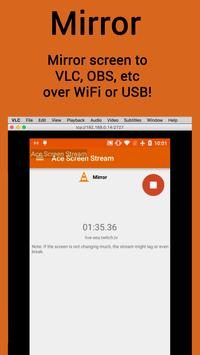
Overall does a great job with mirroring my phone to my pc. Does have a limit of 12 hours as I had did a stream totaling about 13 and half but besides that works great for what I need.
One of the best twitch streaming apps ive seen! However the webcam is too freaking huge for my android tv could you possibly make it able to shrink even more to whatever size we need it to be? Appreciate it!
Works well but I wish I could buy the pro for 1080p mode... Also an option to only show a certain app would be nice. Fix the purchase buttons
One of the updates after around version 1.5.5 broke the in app purchases, To get pro you must somehow get an apk file of a version 1.5.5 or lower to be able to purchase pro for this app. Then you can update to the latest version and the app will detect you have purchased pro.
I thouught it would work but it doesn't!!! When I click the stream button it says what account so i pick which account to stream on then it says "working..." this is the bad part its says "Error fetching account details" Please fix this or help!!!
Kirimkan komentar
Untuk memberikan komentar, masuklah dengan jejaring sosial Anda:
Atau tinggalkan komentar anonim. Komentar Anda akan dikirim untuk dimoderasi.
Kirimkan komentar
Untuk memberikan komentar, masuklah dengan jejaring sosial Anda:
Atau tinggalkan komentar anonim. Komentar Anda akan dikirim untuk dimoderasi.