


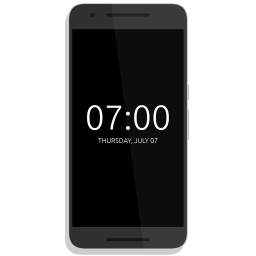
Always On AMOLED
4+
unduhan4.4+
versi Android


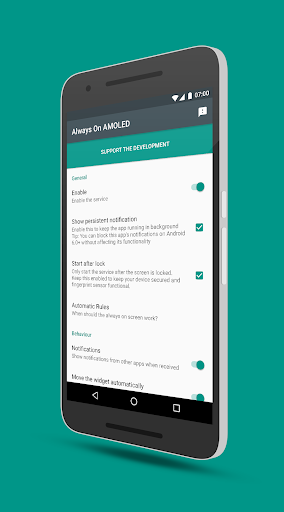
Ditambahkan: Denis Rubinov
Versi: 3.2.0
Ukuran: 30.2 MB
Diperbarui: 24.06.2025
Developer: Tomer Rosenfeld
Batasan Usia: Everyone
Otorisasi: 17
Diunduh di Google Play: 14343342
Kategori: Personalisasi
Deskripsi
Aplikasi Always On AMOLED diperiksa oleh antivirus VirusTotal. Sebagai hasil pemindaian, tidak ada infeksi file yang terdeteksi oleh semua tanda tangan terbaru.
Cara memasang Always On AMOLED
- Unduh file APK aplikasi dari apkshki.com.
- Temukan file yang diunduh. Anda dapat menemukannya di baki sistem atau di folder 'Download' menggunakan manajer file apa pun.
- Jika file yang diunduh berekstensi .bin (bug WebView di Android 11), ubah namanya menjadi .apk menggunakan pengelola file apa pun atau coba unduh file dengan browser lain seperti Chrome.
- Mulai penginstalan. Klik pada file yang diunduh untuk memulai penginstalan
- Izinkan penginstalan dari sumber yang tidak dikenal. Jika Anda menginstal untuk pertama kalinya Always On AMOLED bukan dari Google Play, buka pengaturan keamanan perangkat Anda dan izinkan penginstalan dari sumber yang tidak dikenal.
- Lewati perlindungan Google Play. Jika proteksi Google Play memblokir penginstalan file, ketuk 'Info Lebih Lanjut' → 'Tetap instal' → 'OK' untuk melanjutkan..
- Selesaikan penginstalan: Ikuti petunjuk penginstal untuk menyelesaikan proses penginstalan.
Cara memperbarui Always On AMOLED
- Unduh versi baru aplikasi dari apkshki.com.
- Cari file yang diunduh dan klik file tersebut untuk memulai penginstalan.
- Instal di atas versi lama. Tidak perlu menghapus instalasi versi sebelumnya.
- Hindari konflik tanda tangan. Jika versi sebelumnya tidak diunduh dari apkshki.com, pesan 'Aplikasi tidak terinstal' mungkin muncul. Dalam kasus ini, hapus instalan versi lama dan instal versi baru.
- Mulai ulang lampiran Always On AMOLED setelah pembaruan.







Meminta pembaruan aplikasi
Ditambahkan Denis Rubinov
Versi: 3.2.0
Ukuran: 30.2 MB
Diperbarui: 24.06.2025
Developer: Tomer Rosenfeld
Batasan Usia: Everyone
Otorisasi:
Diunduh di Google Play: 14343342
Kategori: Personalisasi















Ulasan untuk Always On AMOLED
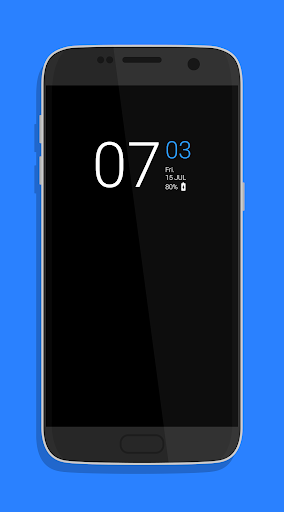
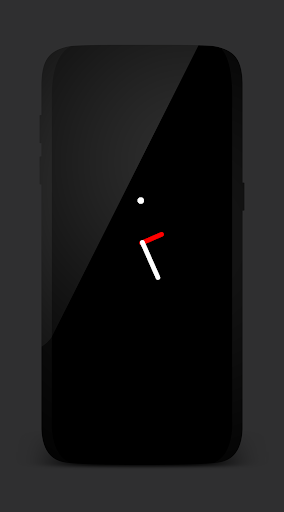
This app is great. It is easy to navigate through, runs smoothly and not complicated. I understand time and effort is put into this and you have to make a living how, but only 2 options for the clock? You're given the basic, plain digital clock to use, or the analog one that's not labeled. Everything else unlocks when you purchase the app. I understand. Only the option to have 2 is the problem.
If you're like me and can't stand to have a blank screen when your phone is off and want consistent access to your notifications, this is the app for you. I paid the little extra for even more features but the free version is still very good. If it weren't for this app, I'd never know when I have notifications unless I was next to it to hear every sound. And I love the double tap LG-like feature as well, and all the customization options. Job well done to the dev of this app, thank you 😊
Decent. Missing color choices, etc. in free version. Too much emphasis is placed on donations to unlock the so-called premium features. Several of the so-called premium features should be included in the free version -- similar to other competing AOD apps offered. in summary, it send to perform okay. But it is extremely basic with no options for the free version. Developer needs to include a few more options with the basic, version in order for me to change my rating from 3 stars to 5 stars.
I like this app but one thing that could make it great is if the notification icons on lock screen would appear in it's original color not what color I selected for the time. I did check this feature on and off and it made no difference. This would be helpful because I assigned colored icons to specific contacts for texting, this worked with other apps but not this one. It would be helpful to know who is texting me without having to unlock my phone and check. Please fix the bug so they can appear in it's original colors. Thanks.
Loved this app until the time started freezing every once in a while. I was in the middle of something important that had an end time & was thinking I had 20 more minutes when I was actually a minute over already because it got stuck on 7:38. 😩 There's also a bug or something that causes the screen to go all the way bright when you unlock it in the dark (ouch) 🔆💀 Other than that I love it for the customization & simplicity, just cant trust it with those 2 major things.
I bought the app because I thought it was a cool idea to be able to customize my screen. It does work, just not the best. Still needs a bit of tweaking. The problems I have, are that it wont let me unlock my phone using my finger or power button, it registers it and goes to a black screen then pops back up on the lock screen. Sometimes it will just freeze as well.It's in beta so bugs are to be expected. Im kind of glad i bought it so that when it is polished it will be worth the money...hopefully
I like that the app is smartly designed to move around enough to avoid burn-in (although I think it should move even more because some pixels remain lit even with the movement), but the one feature I would find useful and have only found in similar apps (within their analog clock features only) is SECONDS! I often need to do something for 30 seconds and opening an app takes more time than I have available for that particular task (so I've resumed wearing a cheap LCD wristwatch since a smart watch isn't practical in my line of work and would get destroyed quickly); having seconds displayed with the time would be so invaluable and I don't understand why this is SO ABSENT in Android and unavailable in the default lock screen. How many techies don't have tasks to do that are measured in seconds? I do constantly! PLEASE ADD THIS OPTION! It seems that this would be easy to do and so utterly useful!!!
I was looking for a clock to replace my bedside alarm. I was using a different app but it needed to be turned on manually every night. I fall asleep to YouTube videos and wanted something that would turn on automatically once the video was done. This app fit the bill. However, it is always on, even after setting it to only turn on during the overnight hours. Because of this, it chews through batteries and I have to charge my s9 during the day. Nice app but I'll likely go back to my old clock.
Using this on a Xiaomi Redmi 5 Plus. This does exactly what I wanted it to do. I had to pay for the pro version to get the things I wanted, but the features and abilities of the app make it worth it. If you're worried about burn-in, there's a wave-to-wake option among others to help with that. I style my phone's UI like Samsung's, and the pro version ($1.99) lets me do that and support the young man that made this. Responsive, stylish, and functional. I'll be using this for a while!
I've been using the app for at least a couple of weeks and, so far, it's been working pretty well. My LG G8 ThinQ comes with a built-in AOD feature, but I can't customize it as much as I would like. After looking through a bunch of apps, Always On AMOLED seemed to have the functions, customization options, and aesthetics that I was looking for. I'd definitely recommend.
Kirimkan komentar
Untuk memberikan komentar, masuklah dengan jejaring sosial Anda:
Atau tinggalkan komentar anonim. Komentar Anda akan dikirim untuk dimoderasi.
Kirimkan komentar
Untuk memberikan komentar, masuklah dengan jejaring sosial Anda:
Atau tinggalkan komentar anonim. Komentar Anda akan dikirim untuk dimoderasi.