



Ditambahkan: Denis Rubinov
Versi: 7.29
Ukuran: 46.5 MB
Diperbarui: 24.06.2025
Developer: AndroidDeveloperLB
Batasan Usia: Everyone
Otorisasi: 13
Diunduh di Google Play: 2385940
Kategori: Alat
Deskripsi
Aplikasi App Manager diperiksa oleh antivirus VirusTotal. Sebagai hasil pemindaian, tidak ada infeksi file yang terdeteksi oleh semua tanda tangan terbaru.
Cara memasang App Manager
- Unduh file APK aplikasi dari apkshki.com.
- Temukan file yang diunduh. Anda dapat menemukannya di baki sistem atau di folder 'Download' menggunakan manajer file apa pun.
- Jika file yang diunduh berekstensi .bin (bug WebView di Android 11), ubah namanya menjadi .apk menggunakan pengelola file apa pun atau coba unduh file dengan browser lain seperti Chrome.
- Mulai penginstalan. Klik pada file yang diunduh untuk memulai penginstalan
- Izinkan penginstalan dari sumber yang tidak dikenal. Jika Anda menginstal untuk pertama kalinya App Manager bukan dari Google Play, buka pengaturan keamanan perangkat Anda dan izinkan penginstalan dari sumber yang tidak dikenal.
- Lewati perlindungan Google Play. Jika proteksi Google Play memblokir penginstalan file, ketuk 'Info Lebih Lanjut' → 'Tetap instal' → 'OK' untuk melanjutkan..
- Selesaikan penginstalan: Ikuti petunjuk penginstal untuk menyelesaikan proses penginstalan.
Cara memperbarui App Manager
- Unduh versi baru aplikasi dari apkshki.com.
- Cari file yang diunduh dan klik file tersebut untuk memulai penginstalan.
- Instal di atas versi lama. Tidak perlu menghapus instalasi versi sebelumnya.
- Hindari konflik tanda tangan. Jika versi sebelumnya tidak diunduh dari apkshki.com, pesan 'Aplikasi tidak terinstal' mungkin muncul. Dalam kasus ini, hapus instalan versi lama dan instal versi baru.
- Mulai ulang lampiran App Manager setelah pembaruan.








Meminta pembaruan aplikasi
Ditambahkan Denis Rubinov
Versi: 7.29
Ukuran: 46.5 MB
Diperbarui: 24.06.2025
Developer: AndroidDeveloperLB
Batasan Usia: Everyone
Otorisasi:
Diunduh di Google Play: 2385940
Kategori: Alat















Ulasan untuk App Manager
Installed it for the sole reason of trying to see the apps installed _not_ from Google Play. Sadly this feature is missing. Edit: a clarification: I want to see two apps lists: a list of apps installed from Google Play and a list of apps installed locally. Now everything is shown intermingled. Edit 2: changed the rating to 5 after seeing that you're quite involved. Thank you! 3 was given by mistake, i pressed 4.
The only solution so far to access Android/Data directly on my android 11 phone, using Files and not "Files by Google" (cf. scoped storage issue, all files permission). I have yet to find a way to add a direct shortcut but thank you already b for this app. Edit-- Shortcut successful made using Shortcut Creator (to Files Activity). For some reasons, I can't find shortcuts anymore on my Nova launcher.
App Manager is the system app management replacement that you not only need but will fall in love with. It handles everything from apk file management to App Uninstaller. The user-interface of App Manager is what I would describe as "retro android." It has simple - straight to the point menu/tab layouts that make for quick navigation of the app and fast operation execution speeds. I would do favors for individuals of the same sex/conflicting sexual identity.
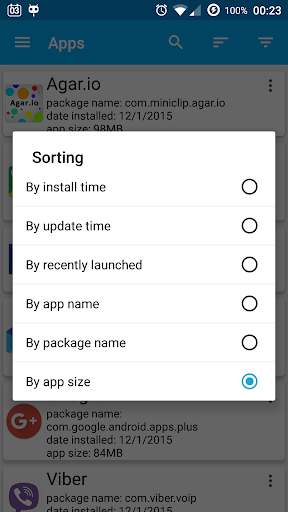
Best I found of its kind. Pleasant UI and relatively reasonable footprint. Fee to eliminate ad banner is nominal. App maintenance function and Useful Shortcuts are handy. Scan options include by install and update times, name, package name, and size which is mainly what I installed it for (to identity uninstall candidates). Size sort takes time though and there's no method to identify which apps are causing scan hang (e.g., Dumpster) nor a scan exclusion setting. Outstanding support.
Excellent app, especially for rooted phones. Feels like a fork of Titanium Backup and it's for free, so what more can you ask? Highly recommend. Great work!
Awesome! Really helps keep my phone running smoother and faster than it has in a really long time! THANKS!
Plenty of root options to keep the normally uncontrollable apps under control. A great addition would be a user-defined list of apps, to stop or disable them all in one tap, perhaps via a desktop widget. Not sure if it's possible, but also killing an app completely when it is closed, instead of it remaining running in the background, perhaps with a list of exceptions to keep the critical stuff working. Somebody has to get control of all the deceptive practices associated with Android apps written in compliance with Google's surveillance laws, and this app is a great csndidate for that task.
Best app for apk files , xapx and others and also app management
Perhaps I misunderstood, but I thought this app was supposed to keep track of what you "in" and "un"installed so that it could "re"install if you so chose. This app store installs easily enough and my security system uninstalls in one click also. The reinstallation was what I was looking for. I "in" and "un"installed three apps since loading this app and tried to reinstall one of them after I had changed my mind about one of the apps. It had no record of any of them! No good to me. UNinstalled.
New: It's working now. The OS responded differently this time. Very weird. App seems to do its job well, but I can't run an app from this manager, which is what I was looking for. Previous: The app requests usage-access permission. At the permissions page I find that permission is already ON. I switch it off then on again, then return to the app. It says to give it usage access permission. I go again to switch the permission, etc, etc. Endless loop.
Kirimkan komentar
Untuk memberikan komentar, masuklah dengan jejaring sosial Anda:
Atau tinggalkan komentar anonim. Komentar Anda akan dikirim untuk dimoderasi.
Kirimkan komentar
Untuk memberikan komentar, masuklah dengan jejaring sosial Anda:
Atau tinggalkan komentar anonim. Komentar Anda akan dikirim untuk dimoderasi.