






Ditambahkan: Denis Rubinov
Versi: 1.0.11
Ukuran: 3.6 MB
Diperbarui: 27.04.2020
Developer: Logiciel Apps
Batasan Usia: Everyone
Diunduh di Google Play: 204681
Kategori: Kerja
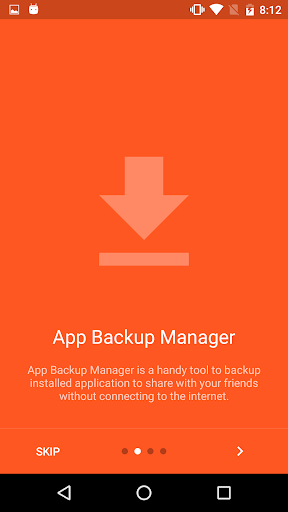
- Fungsi untuk membuat cadangan.
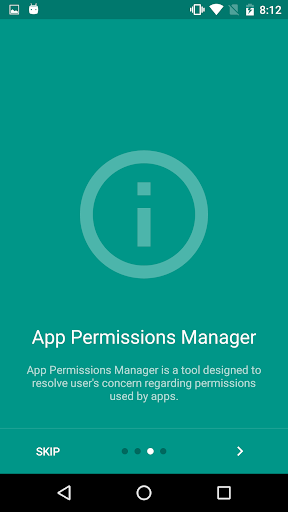
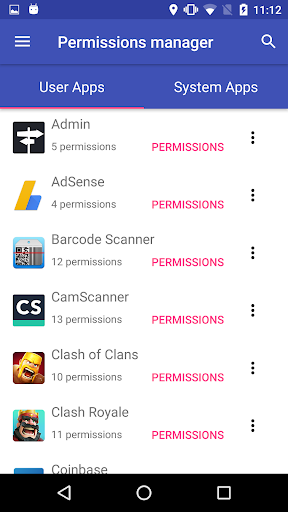
- Kelola Izin.
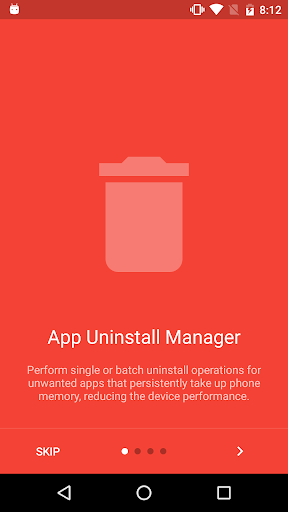
- Pencopotan aplikasi batch.
- Penyortiran aplikasi yang nyaman.
- Tidak ada fitur berbayar.
Deskripsi
Aplikasi Application Manager diperiksa oleh antivirus VirusTotal. Sebagai hasil pemindaian, tidak ada infeksi file yang terdeteksi oleh semua tanda tangan terbaru.
Cara memasang Application Manager
- Unduh file APK aplikasi dari apkshki.com.
- Temukan file yang diunduh. Anda dapat menemukannya di baki sistem atau di folder 'Download' menggunakan manajer file apa pun.
- Jika file yang diunduh berekstensi .bin (bug WebView di Android 11), ubah namanya menjadi .apk menggunakan pengelola file apa pun atau coba unduh file dengan browser lain seperti Chrome.
- Mulai penginstalan. Klik pada file yang diunduh untuk memulai penginstalan
- Izinkan penginstalan dari sumber yang tidak dikenal. Jika Anda menginstal untuk pertama kalinya Application Manager bukan dari Google Play, buka pengaturan keamanan perangkat Anda dan izinkan penginstalan dari sumber yang tidak dikenal.
- Lewati perlindungan Google Play. Jika proteksi Google Play memblokir penginstalan file, ketuk 'Info Lebih Lanjut' → 'Tetap instal' → 'OK' untuk melanjutkan..
- Selesaikan penginstalan: Ikuti petunjuk penginstal untuk menyelesaikan proses penginstalan.
Cara memperbarui Application Manager
- Unduh versi baru aplikasi dari apkshki.com.
- Cari file yang diunduh dan klik file tersebut untuk memulai penginstalan.
- Instal di atas versi lama. Tidak perlu menghapus instalasi versi sebelumnya.
- Hindari konflik tanda tangan. Jika versi sebelumnya tidak diunduh dari apkshki.com, pesan 'Aplikasi tidak terinstal' mungkin muncul. Dalam kasus ini, hapus instalan versi lama dan instal versi baru.
- Mulai ulang lampiran Application Manager setelah pembaruan.








Meminta pembaruan aplikasi
Ditambahkan Denis Rubinov
Versi: 1.0.11
Ukuran: 3.6 MB
Diperbarui: 27.04.2020
Developer: Logiciel Apps
Batasan Usia: Everyone
Diunduh di Google Play: 204681
Kategori: Kerja















Ulasan untuk Application Manager
Good but, missing features HI dev can you make a feature that tells us which app are stored in SD card and which app is stored in internal storage.. Also if possible add transfer to sd card (transfer between storages) feature 👍
Would give it 5 stars if it could handle screen rotation. Do the developers realize that many people use tablets or use the device upside down because they are using it while charging? Also if you backup an app it does not write the app version in the file name. Just a useless number.
Wasn't looking to backup apps. Wanted to set order to "last used". This app has no way to change order.
Love that I can manage all accounts at once with the ideal convenience for multitasking. Muah!
The section of "App backup manager" is very useful. It can pack installed APPs for using later or sharing theme to others.
The app is useful i can find hidden system app like google play services that's not visible on my built in app manager.
finally ,after trying so many softwares to see the security agent log ,this helped by I still couldn't stop it permanently
I have. A question then i. will give u. 5 stars .Does. this. Aplication can manage(control) those apps who are. Misbehaving??
Just getting started using it but seems to show things you cannot find in settings
Kirimkan komentar
Untuk memberikan komentar, masuklah dengan jejaring sosial Anda:
Atau tinggalkan komentar anonim. Komentar Anda akan dikirim untuk dimoderasi.
Kirimkan komentar
Untuk memberikan komentar, masuklah dengan jejaring sosial Anda:
Atau tinggalkan komentar anonim. Komentar Anda akan dikirim untuk dimoderasi.