



BiglyBT, Torrent Downloader
3+
unduhan4.0+
versi Android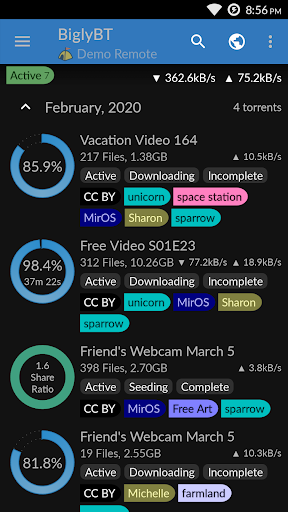
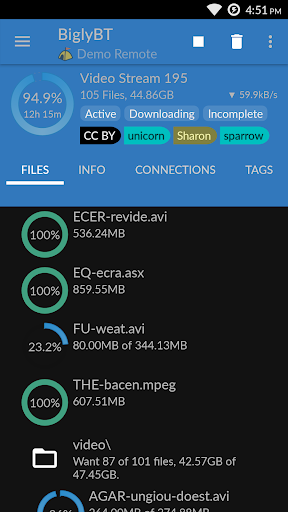
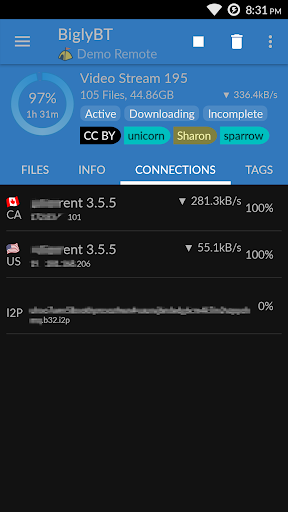
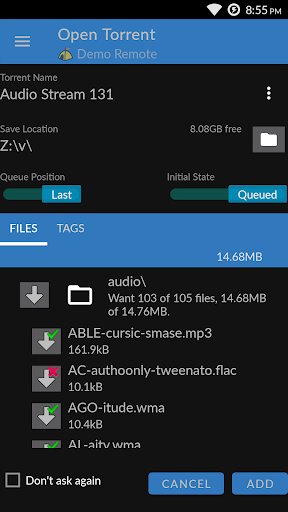
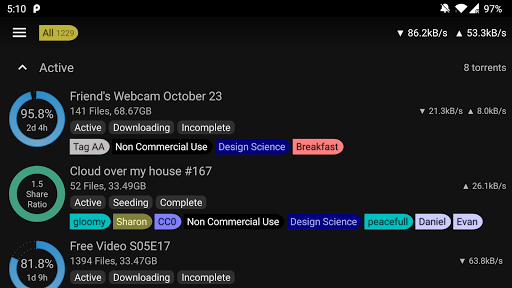
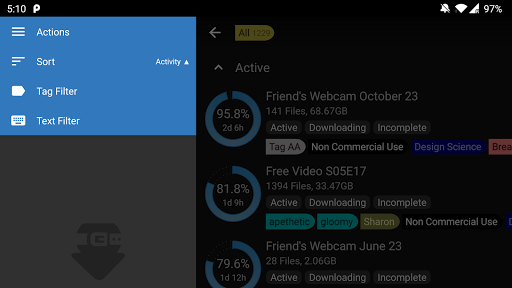
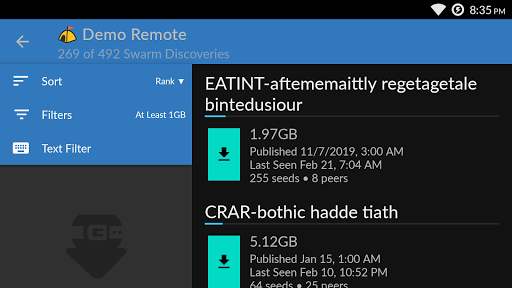
Ditambahkan: Denis Rubinov
Versi: 1.3.2.0
Ukuran: 7.9 MB
Diperbarui: 31.07.2021
Developer: Bigly Software
Batasan Usia: Everyone
Otorisasi: 7
Diunduh di Google Play: 248752
Kategori: Alat
Deskripsi
Aplikasi BiglyBT, Torrent Downloader diperiksa oleh antivirus VirusTotal. Sebagai hasil pemindaian, tidak ada infeksi file yang terdeteksi oleh semua tanda tangan terbaru.
Cara memasang BiglyBT, Torrent Downloader
- Unduh file APK aplikasi dari apkshki.com.
- Temukan file yang diunduh. Anda dapat menemukannya di baki sistem atau di folder 'Download' menggunakan manajer file apa pun.
- Jika file yang diunduh berekstensi .bin (bug WebView di Android 11), ubah namanya menjadi .apk menggunakan pengelola file apa pun atau coba unduh file dengan browser lain seperti Chrome.
- Mulai penginstalan. Klik pada file yang diunduh untuk memulai penginstalan
- Izinkan penginstalan dari sumber yang tidak dikenal. Jika Anda menginstal untuk pertama kalinya BiglyBT, Torrent Downloader bukan dari Google Play, buka pengaturan keamanan perangkat Anda dan izinkan penginstalan dari sumber yang tidak dikenal.
- Lewati perlindungan Google Play. Jika proteksi Google Play memblokir penginstalan file, ketuk 'Info Lebih Lanjut' → 'Tetap instal' → 'OK' untuk melanjutkan..
- Selesaikan penginstalan: Ikuti petunjuk penginstal untuk menyelesaikan proses penginstalan.
Cara memperbarui BiglyBT, Torrent Downloader
- Unduh versi baru aplikasi dari apkshki.com.
- Cari file yang diunduh dan klik file tersebut untuk memulai penginstalan.
- Instal di atas versi lama. Tidak perlu menghapus instalasi versi sebelumnya.
- Hindari konflik tanda tangan. Jika versi sebelumnya tidak diunduh dari apkshki.com, pesan 'Aplikasi tidak terinstal' mungkin muncul. Dalam kasus ini, hapus instalan versi lama dan instal versi baru.
- Mulai ulang lampiran BiglyBT, Torrent Downloader setelah pembaruan.







Meminta pembaruan aplikasi
Ditambahkan Denis Rubinov
Versi: 1.3.2.0
Ukuran: 7.9 MB
Diperbarui: 31.07.2021
Developer: Bigly Software
Batasan Usia: Everyone
Otorisasi:
Diunduh di Google Play: 248752
Kategori: Alat















Ulasan untuk BiglyBT, Torrent Downloader
Doesn't work too well on new Chromecast with Google TV. Download speed is low and the entire connection is intermittent (it downloads for a few seconds, stops for a few seconds, and so on). Remote control functionality works well though.
I've been using BiglyBT on the phone and the PC for well over a year now. Haven't gone to another app yet. In fairness, I came in with the Vuze branching, this has had better support. I probably overuse both for the device. I have ran over 100 torrents (mostly complete) at a time with no stability issues. While there are features on the PC that I would like to see on the phone, the current stability and ease of use of the phone app more than make up for it.
The app works fine on my Google tv; the only problem is that added torrents appear relatively slowly, and without exception, I need to manually start them, since they are automatically added in a Stopped status. In other words, between clicking on a torrent and actually having the torrent starting to download, at least 2 minutes pass. Does anyone have a solution for this issue? Thanks!
It is a good app for Android TV but with some slight glitches. It is a good alternative to utorent for smart TV. But i experienced one problem which is when you add a torrent sometimes it takes time to load after which a pop up appears where you have to click on ADD. There is no advertising in this app. Overall, it is a good app.
Only app which works in combination as remote with Nvidia Shield. Many great settings for customization. Basically a must own on Nvidia Shield, but there's on phone app some problem otherwise i would give 5 stars. When use phone as remote control to add an torrent it does all great while it's together with Shield but as soon as torrent starting download remote app on phone is getting out of sync and basically is only usable on Shield to actually see download progress and real-time speed.
I'd give it 5* if i could set the biglyBT private directory as the default save location. That would save a bit of finger trouble on my part. Other than that it does what it says on the tin. Whilst it would be nice to have better stats than is available it is after all on a phone not a desktop/laptop.
Usually does the job, but a deal breaker is individual files marked as "unwanted" will randomly resume download when you're not looking. For big jobs this means the files you do want might wait in queue. So in this case it becomes not only a waste of bandwidth, but also counterproductive.
It handles torrents better than flud but unlike flud it doesn't seem to stay active when out of focus for a while. I have a Galaxy A12 and I disabled battery optimization for BT but just using YouTube seems enough for it to get suspended/unloaded, with it "loading" the core as if it were a cold launch and my downloads Being largely unchanged. I'll create a 1gib torrent and limit it's bandwidth to 256KiB/s as a pseudo long download and monitor activity via my laptop. Test pending.
It downloads the torrents on Chromebook, but doesn't seed - only good for Hit & Run. Another problem that it can't be made default - but it's a common problem with Chromebooks. Advice: don't buy a Chromebook, ever!
PM the only option for a mobile torrent client but I've had the ongoing problem of my queue erasing itself for ages. It's a pain because you have to add one at a time and deleting from the queue doesn't delete the .torrent file. I know there's plenty of community support but no one really worries about the mobile port atm.
Kirimkan komentar
Untuk memberikan komentar, masuklah dengan jejaring sosial Anda:
Atau tinggalkan komentar anonim. Komentar Anda akan dikirim untuk dimoderasi.
Kirimkan komentar
Untuk memberikan komentar, masuklah dengan jejaring sosial Anda:
Atau tinggalkan komentar anonim. Komentar Anda akan dikirim untuk dimoderasi.