


Ditambahkan: Denis Rubinov
Versi: 3.3.2
Ukuran: 20.1 MB
Diperbarui: 11.12.2021
Developer: Soft Igloo
Batasan Usia: Everyone
Otorisasi: 14
Diunduh di Google Play: 3137928
Kategori: Alat
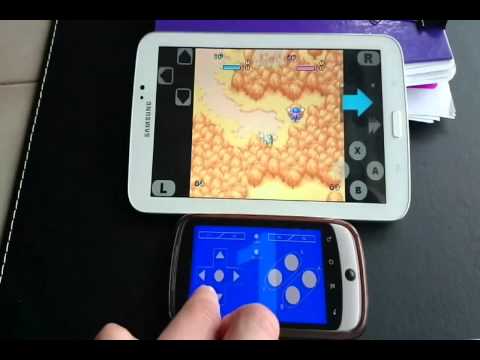
- Mendukung hingga empat pengguna secara bersamaan.
- Bekerja dengan sebagian besar emulator
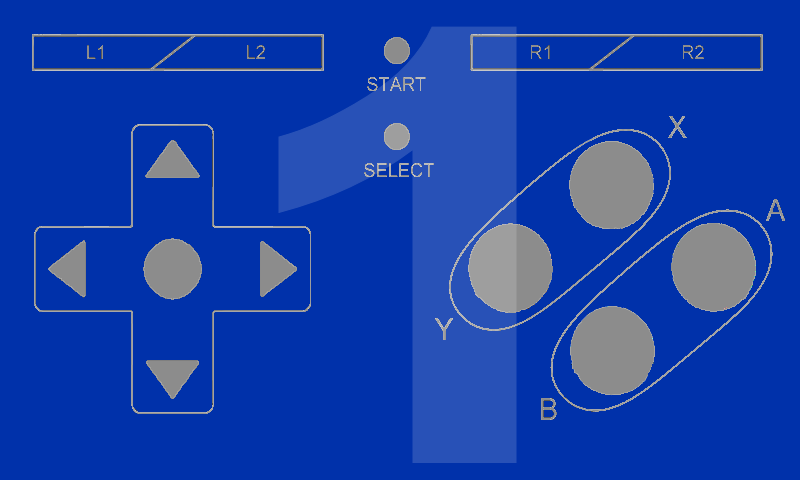
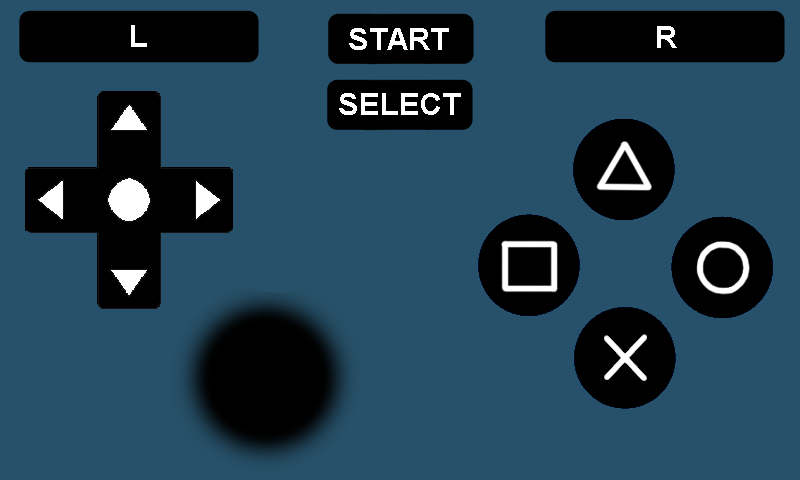
- Tersedia pemetaan ulang kunci.
- Anda dapat membuat pengontrol sendiri dan mempublikasikannya ke komunitas.
Deskripsi
Aplikasi BT Controller diperiksa oleh antivirus VirusTotal. Sebagai hasil pemindaian, tidak ada infeksi file yang terdeteksi oleh semua tanda tangan terbaru.
Cara memasang BT Controller
- Unduh file APK aplikasi dari apkshki.com.
- Temukan file yang diunduh. Anda dapat menemukannya di baki sistem atau di folder 'Download' menggunakan manajer file apa pun.
- Jika file yang diunduh berekstensi .bin (bug WebView di Android 11), ubah namanya menjadi .apk menggunakan pengelola file apa pun atau coba unduh file dengan browser lain seperti Chrome.
- Mulai penginstalan. Klik pada file yang diunduh untuk memulai penginstalan
- Izinkan penginstalan dari sumber yang tidak dikenal. Jika Anda menginstal untuk pertama kalinya BT Controller bukan dari Google Play, buka pengaturan keamanan perangkat Anda dan izinkan penginstalan dari sumber yang tidak dikenal.
- Lewati perlindungan Google Play. Jika proteksi Google Play memblokir penginstalan file, ketuk 'Info Lebih Lanjut' → 'Tetap instal' → 'OK' untuk melanjutkan..
- Selesaikan penginstalan: Ikuti petunjuk penginstal untuk menyelesaikan proses penginstalan.
Cara memperbarui BT Controller
- Unduh versi baru aplikasi dari apkshki.com.
- Cari file yang diunduh dan klik file tersebut untuk memulai penginstalan.
- Instal di atas versi lama. Tidak perlu menghapus instalasi versi sebelumnya.
- Hindari konflik tanda tangan. Jika versi sebelumnya tidak diunduh dari apkshki.com, pesan 'Aplikasi tidak terinstal' mungkin muncul. Dalam kasus ini, hapus instalan versi lama dan instal versi baru.
- Mulai ulang lampiran BT Controller setelah pembaruan.






Meminta pembaruan aplikasi
Ditambahkan Denis Rubinov
Versi: 3.3.2
Ukuran: 20.1 MB
Diperbarui: 11.12.2021
Developer: Soft Igloo
Batasan Usia: Everyone
Otorisasi:
Diunduh di Google Play: 3137928
Kategori: Alat















Ulasan untuk BT Controller
I play minecraft and I makes video
Doesn't work
Not sure how to feel. It keeps black screening on my Tab 4. Hopefully there will be a backwards compatibility for older Android versions. Until then, 4 stars
don't download keyboard mod
This app works fine. It can be used to change phone into virtual custom controller that can be connected to other device with Bluetooth or Wi-Fi. Also it can makes & customizes your own controller and share it to other people. I recommended this app if you don't have controller, but YOU really need a controller now.
Best
Good game
It never works
thats very good app at first Idont know how to use it but I watched don tutorials and I tried and it works pretty well I tried to play Minecraft with this app its difficult but fun and after some practice I did it very well
A best app which was I found from a Youtuber Technology World I a was founding from a month I tried many apps but this is best but i give it 4 star because its keyboard quality are bad but OK beacuase for fast gamers they can't control it because keys are very compact in size compared to my screen so i request you to please improve size and quality of Keyboards or instead make a better keyboard with big size and enough keys
I used this for making art, And it works fairly well. Wish I could figure out how to line things up and make a graphical change but making a background isnt difficult. I use this app on my phone and have it linked to my Android tablet running Krita. This App allows me to use hotkeys without having to own a BT keyboard or plugging in my USB one. Really nice stuff, wish I could figure out the macro/ wish it had a vertical orientation.
I have trouble with delay n responce, i so badly want this idea to be a common thing, a master device with an assistant device, ive tried apps for years with many different phones and tablets. Ther jus seems to be a wall intentionally that we cant cross. Hardware jus works over having two devices fighting software.
Works nearly flawlessly, it's just the Controller Creator won't save anything. i couldn't play any games that use 2 or even 1 Joystick. And Compatibility wise it is good too, support Epsx and Drastic with a Little bit of Delay.
Instructions could be better, the app does work for Android tv boxes. However, you have to manually download the APK on your phone and force it on to the box. You do this by downloading Cetus on your box and your phone, use this to transfer the APK onto the box. Once there, you have to manually map the buttons as per your emulator controller profile. I used the standard android gamepad profile on my Mupen64Plus emulator.
This app is awesome. It does everything it promises with very few glitches. Retro gamer at heart and normally play on my great laptop with a wired controller and happy as a drunk clam. But unfortunately laptop in storage right now so I have a phone and cheap tablet. Just does not and has never felt right doing the touch screen gaming. I am old school from Atari 2600 days. I want that dirty little controller in my hand. And this app does that. Great job guys.
Kirimkan komentar
Untuk memberikan komentar, masuklah dengan jejaring sosial Anda:
Atau tinggalkan komentar anonim. Komentar Anda akan dikirim untuk dimoderasi.
Kirimkan komentar
Untuk memberikan komentar, masuklah dengan jejaring sosial Anda:
Atau tinggalkan komentar anonim. Komentar Anda akan dikirim untuk dimoderasi.