



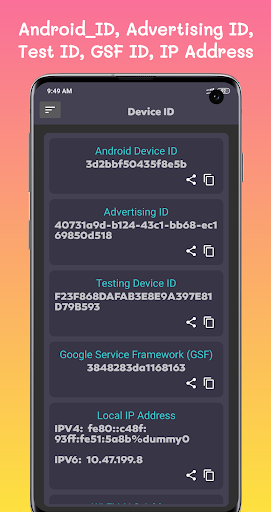
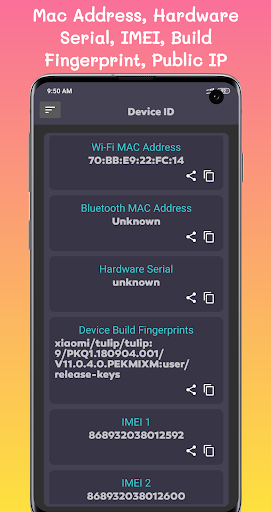

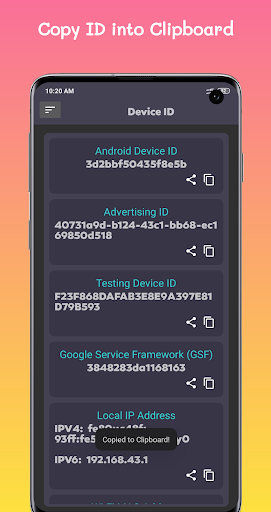

Ditambahkan: Denis Rubinov
Versi: 1.0.9
Ukuran: 3.3 MB
Diperbarui: 29.07.2021
Developer: VTechSevi
Batasan Usia: Everyone
Diunduh di Google Play: 446786
Kategori: Alat
Deskripsi
Aplikasi Device ID diperiksa oleh antivirus VirusTotal. Sebagai hasil pemindaian, tidak ada infeksi file yang terdeteksi oleh semua tanda tangan terbaru.
Cara memasang Device ID
- Unduh file APK aplikasi dari apkshki.com.
- Temukan file yang diunduh. Anda dapat menemukannya di baki sistem atau di folder 'Download' menggunakan manajer file apa pun.
- Jika file yang diunduh berekstensi .bin (bug WebView di Android 11), ubah namanya menjadi .apk menggunakan pengelola file apa pun atau coba unduh file dengan browser lain seperti Chrome.
- Mulai penginstalan. Klik pada file yang diunduh untuk memulai penginstalan
- Izinkan penginstalan dari sumber yang tidak dikenal. Jika Anda menginstal untuk pertama kalinya Device ID bukan dari Google Play, buka pengaturan keamanan perangkat Anda dan izinkan penginstalan dari sumber yang tidak dikenal.
- Lewati perlindungan Google Play. Jika proteksi Google Play memblokir penginstalan file, ketuk 'Info Lebih Lanjut' → 'Tetap instal' → 'OK' untuk melanjutkan..
- Selesaikan penginstalan: Ikuti petunjuk penginstal untuk menyelesaikan proses penginstalan.
Cara memperbarui Device ID
- Unduh versi baru aplikasi dari apkshki.com.
- Cari file yang diunduh dan klik file tersebut untuk memulai penginstalan.
- Instal di atas versi lama. Tidak perlu menghapus instalasi versi sebelumnya.
- Hindari konflik tanda tangan. Jika versi sebelumnya tidak diunduh dari apkshki.com, pesan 'Aplikasi tidak terinstal' mungkin muncul. Dalam kasus ini, hapus instalan versi lama dan instal versi baru.
- Mulai ulang lampiran Device ID setelah pembaruan.







Meminta pembaruan aplikasi
Ditambahkan Denis Rubinov
Versi: 1.0.9
Ukuran: 3.3 MB
Diperbarui: 29.07.2021
Developer: VTechSevi
Batasan Usia: Everyone
Diunduh di Google Play: 446786
Kategori: Alat















Ulasan untuk Device ID
this is my first attempts with this apps hopefully to get satisfaction as well thank again go forward with best results of service to help people's privacy save
Incorrect testing device id, i dont know what id you give but it is not the same as in logcat in studio. If i am wrong is there any way to get that id for add test device for google ads.
Just works! One star deducted because of the ads.
nope. its showing wrong device id on android 9
Device ID. is the very very best application and very interesting app download guys this app download me
Doesn't show advertising ID otherwise good
Key information over some fundamental basics!
Doesn't identify the device itself
very impressive..its work for me
Incorrect ID displayed
Kirimkan komentar
Untuk memberikan komentar, masuklah dengan jejaring sosial Anda:
Atau tinggalkan komentar anonim. Komentar Anda akan dikirim untuk dimoderasi.
Kirimkan komentar
Untuk memberikan komentar, masuklah dengan jejaring sosial Anda:
Atau tinggalkan komentar anonim. Komentar Anda akan dikirim untuk dimoderasi.