




Ditambahkan: Denis Rubinov
Versi: 1.9.2
Ukuran: 12.2 MB
Diperbarui: 29.04.2020
Developer: Christian Gollner
Batasan Usia: Everyone
Kategori: Alat
- Distribusi gratis.
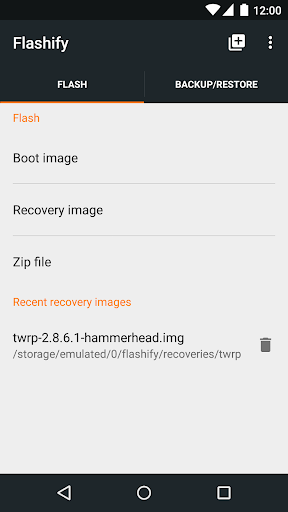
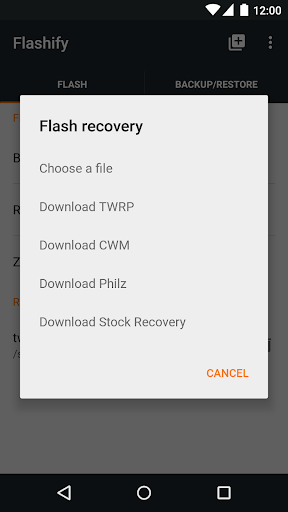
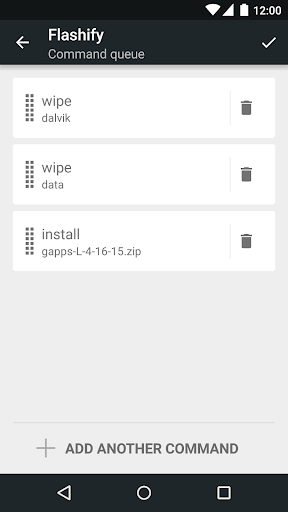
- Berkedip tanpa beralih ke pemulihan.
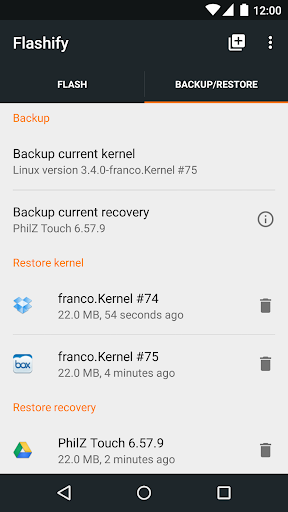
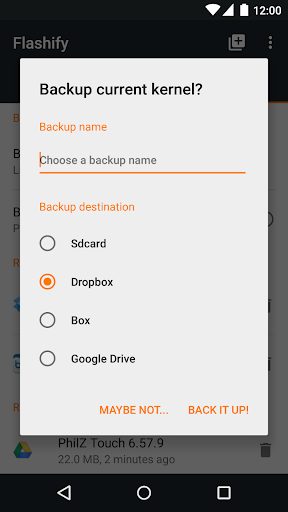
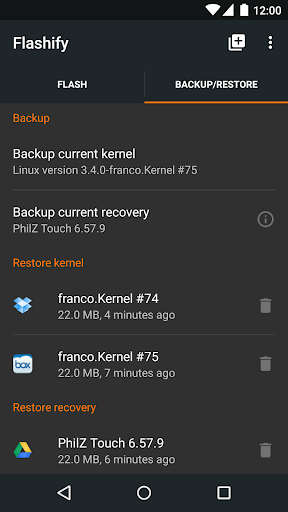
- Mencadangkan dan memulihkan data.
- Flash arsip zip.
Deskripsi
Aplikasi Flashify (for root users) diperiksa oleh antivirus VirusTotal. Sebagai hasil pemindaian, tidak ada infeksi file yang terdeteksi oleh semua tanda tangan terbaru.
Cara memasang Flashify (for root users)
- Unduh file APK aplikasi dari apkshki.com.
- Temukan file yang diunduh. Anda dapat menemukannya di baki sistem atau di folder 'Download' menggunakan manajer file apa pun.
- Jika file yang diunduh berekstensi .bin (bug WebView di Android 11), ubah namanya menjadi .apk menggunakan pengelola file apa pun atau coba unduh file dengan browser lain seperti Chrome.
- Mulai penginstalan. Klik pada file yang diunduh untuk memulai penginstalan
- Izinkan penginstalan dari sumber yang tidak dikenal. Jika Anda menginstal untuk pertama kalinya Flashify (for root users) bukan dari Google Play, buka pengaturan keamanan perangkat Anda dan izinkan penginstalan dari sumber yang tidak dikenal.
- Lewati perlindungan Google Play. Jika proteksi Google Play memblokir penginstalan file, ketuk 'Info Lebih Lanjut' → 'Tetap instal' → 'OK' untuk melanjutkan..
- Selesaikan penginstalan: Ikuti petunjuk penginstal untuk menyelesaikan proses penginstalan.
Cara memperbarui Flashify (for root users)
- Unduh versi baru aplikasi dari apkshki.com.
- Cari file yang diunduh dan klik file tersebut untuk memulai penginstalan.
- Instal di atas versi lama. Tidak perlu menghapus instalasi versi sebelumnya.
- Hindari konflik tanda tangan. Jika versi sebelumnya tidak diunduh dari apkshki.com, pesan 'Aplikasi tidak terinstal' mungkin muncul. Dalam kasus ini, hapus instalan versi lama dan instal versi baru.
- Mulai ulang lampiran Flashify (for root users) setelah pembaruan.








Meminta pembaruan aplikasi
Ditambahkan Denis Rubinov
Versi: 1.9.2
Ukuran: 12.2 MB
Diperbarui: 29.04.2020
Developer: Christian Gollner
Batasan Usia: Everyone
Kategori: Alat















Ulasan untuk Flashify (for root users)
I am rooted but it is not working. I wasted a lot of time looking for solution but no luck. All info and resources about this app are about 3 to 5 years ago and this app was last updated when? It's so old and critical bugs still exist. Whenever I try to backup or flash, the app will just freeze or not responding. No choice but to use PC to flash.
Great app. Was able to flash recovery when I messed up. Though I have tried flashing boot image, which crashes the app every time. It still supports devices with newer android version (mine is Android 10). Kinda wish they would update it more.
I have a Google Pixel and almost zero of the functions actually work. It just freezes the first time I click on anything. Now after paying for it, and reinstalling it, it no longer shows I even paid for the full version. Tried contacting the developer and have got zero reply. I need help. Please.. months later and still no response....
Stop giving this wonderful app bad reviews. This was made in a more magical time when you could modify devices freely. Now, the structure of Android has been changed so that this App is non-functional; if you're using this on a pixel, you're a dumbass and should not be attempting to modify your phone to begin with.
OP6 systemless root with magisk. trying to flash twrp permanently but can't backup anything via flashify. app just freezes after selecting either backup choices. if i made an error then sorry and ill edit my review but since i cant do any backup, i put 1star. I'm looking for help to point me in the right direction thanks.
Sir, your app used to work great. The premium features don't work anymore. I understand it Android has changed. I get that. But this is a call to arms man on top of the fact that your app is become outdated and you're not caring for it with the love and concern I believe it deserves, all the links that go to your name have now got virus and malware warnings put on by the same bitly company you're using. Not good advertising. Come on man I'm rooting for you. Get your house in order.
i would rate this app as a 5 because it definitely has the potential to be a great asset but every time I try to run it the dang thing freezes up on me. please let me know if you can do something to fix this issue.
Works perfectly. All you need is just the correct files to flash and then you load it up from the app and boooom!!!! You're done. No need for adb on PC. Very fast.
I don't have any thing bad to talk about with this app it works good but when I paid for the premium features and then I had to do some other things and had to reflash the device upon reinstalling the app I wasn't worried about the limit because I did pay for the premium to unlock it but I don't have premium anymore other than that the app works good
My Xperia M4 Aqua is not compatible. My USB connection is not recognised by my pc (only charges) and the only way I have to install TWRP is trough my phone. I have rooted the phone with King Root but with this app and the official TWRP is impossible to do it. Also, The application has not been updated with new models and it is not helping if they don't plan to include more models. In top of that, I can't install TWRP from a zip file. I will change my review when the flashify team can help me.
Kirimkan komentar
Untuk memberikan komentar, masuklah dengan jejaring sosial Anda:
Atau tinggalkan komentar anonim. Komentar Anda akan dikirim untuk dimoderasi.
Kirimkan komentar
Untuk memberikan komentar, masuklah dengan jejaring sosial Anda:
Atau tinggalkan komentar anonim. Komentar Anda akan dikirim untuk dimoderasi.