



NFC TagWriter by NXP
1+
unduhan4.4+
versi Android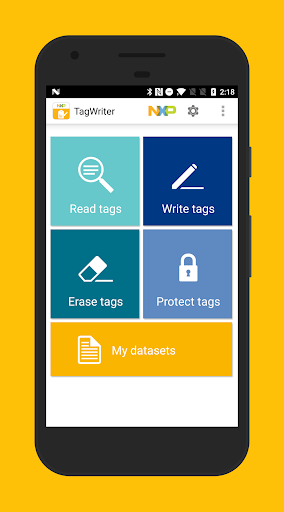


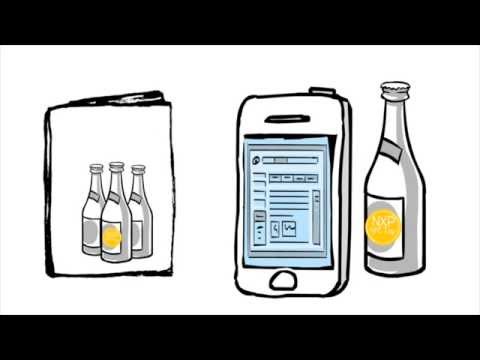
Ditambahkan: Denis Rubinov
Versi: 6.1.0
Ukuran: 15.3 MB
Diperbarui: 24.06.2025
Developer: NXP Semiconductors
Batasan Usia: Everyone
Otorisasi: 16
Diunduh di Google Play: 1234862
Kategori: Kerja
Deskripsi
Aplikasi NFC TagWriter by NXP diperiksa oleh antivirus VirusTotal. Sebagai hasil pemindaian, tidak ada infeksi file yang terdeteksi oleh semua tanda tangan terbaru.
Cara memasang NFC TagWriter by NXP
- Unduh file APK aplikasi dari apkshki.com.
- Temukan file yang diunduh. Anda dapat menemukannya di baki sistem atau di folder 'Download' menggunakan manajer file apa pun.
- Jika file yang diunduh berekstensi .bin (bug WebView di Android 11), ubah namanya menjadi .apk menggunakan pengelola file apa pun atau coba unduh file dengan browser lain seperti Chrome.
- Mulai penginstalan. Klik pada file yang diunduh untuk memulai penginstalan
- Izinkan penginstalan dari sumber yang tidak dikenal. Jika Anda menginstal untuk pertama kalinya NFC TagWriter by NXP bukan dari Google Play, buka pengaturan keamanan perangkat Anda dan izinkan penginstalan dari sumber yang tidak dikenal.
- Lewati perlindungan Google Play. Jika proteksi Google Play memblokir penginstalan file, ketuk 'Info Lebih Lanjut' → 'Tetap instal' → 'OK' untuk melanjutkan..
- Selesaikan penginstalan: Ikuti petunjuk penginstal untuk menyelesaikan proses penginstalan.
Cara memperbarui NFC TagWriter by NXP
- Unduh versi baru aplikasi dari apkshki.com.
- Cari file yang diunduh dan klik file tersebut untuk memulai penginstalan.
- Instal di atas versi lama. Tidak perlu menghapus instalasi versi sebelumnya.
- Hindari konflik tanda tangan. Jika versi sebelumnya tidak diunduh dari apkshki.com, pesan 'Aplikasi tidak terinstal' mungkin muncul. Dalam kasus ini, hapus instalan versi lama dan instal versi baru.
- Mulai ulang lampiran NFC TagWriter by NXP setelah pembaruan.








Meminta pembaruan aplikasi
Ditambahkan Denis Rubinov
Versi: 6.1.0
Ukuran: 15.3 MB
Diperbarui: 24.06.2025
Developer: NXP Semiconductors
Batasan Usia: Everyone
Otorisasi:
Diunduh di Google Play: 1234862
Kategori: Kerja















Ulasan untuk NFC TagWriter by NXP
Simple and awesome.
Horrible experience. I tried to copy contact information onto an nfc tag. This app claims it has been written, but no tag can be read after the initial tap. It's not even detected by other my or other devices' nfc readers. I can't even scan them to erase the content added by the first tap.
nice app
The only app on the market that can write the tag info for Bluetooth connection with correct device name
can please fix problem in android 13 miui 14 on pocof4,,,,dataset cannot edit,,,it crash
Works fine, but every time a scan and write a QR code, the nfc goes blank and nothing can read it anymore. Why could that be?
Very handy and comprehensive NFC writer, however the QR scanner (to copy URLs) no longer works. Or at least I cannot get it to work. Any ideas?
It's decent, but there is no documentation for setting up counters using CSV files for NTAG 215 - and when I try to restore a twdb backup, it doesn't include counter information as it should. I'm unable to therefore generate bulk records that include counter information.
This app, unlike the others lets you enter the Bluetooth device name, so it shows up when connecting, instead of "connecting to..."
Best app for business card, tried all other apps. This one works the best.
Kirimkan komentar
Untuk memberikan komentar, masuklah dengan jejaring sosial Anda:
Atau tinggalkan komentar anonim. Komentar Anda akan dikirim untuk dimoderasi.
Kirimkan komentar
Untuk memberikan komentar, masuklah dengan jejaring sosial Anda:
Atau tinggalkan komentar anonim. Komentar Anda akan dikirim untuk dimoderasi.