



Ditambahkan: Denis Rubinov
Versi: 1.21.0_GIT
Ukuran: 184.4 MB
Diperbarui: 20.05.2025
Developer: Libretro
Batasan Usia: Everyone
Otorisasi: 4
Diunduh di Google Play: 5213103
Kategori: Game aksi
- Sumber terbuka.
- Tidak ada iklan atau fitur berbayar.
- Banyak pilihan emulator yang tersedia.
- Dukungan multipemain.
- Program ini sangat mudah digunakan.
Deskripsi
Permainan RetroArch telah diperiksa oleh antivirus VirusTotal. Sebagai hasil pemindaian, tidak ada infeksi file yang terdeteksi oleh semua tanda tangan terbaru.
Cara memasang RetroArch
- Unduh file APK game dari apkshki.com.
- Temukan file yang diunduh. Anda dapat menemukannya di baki sistem atau di folder 'Download' menggunakan manajer file apa pun.
- Jika file yang diunduh berekstensi .bin (bug WebView di Android 11), ubah namanya menjadi .apk menggunakan pengelola file apa pun atau coba unduh file dengan browser lain seperti Chrome.
- Mulai penginstalan. Klik pada file yang diunduh untuk memulai penginstalan
- Izinkan penginstalan dari sumber yang tidak dikenal. Jika Anda menginstal untuk pertama kalinya RetroArch bukan dari Google Play, buka pengaturan keamanan perangkat Anda dan izinkan penginstalan dari sumber yang tidak dikenal.
- Lewati perlindungan Google Play. Jika proteksi Google Play memblokir penginstalan file, ketuk 'Info Lebih Lanjut' → 'Tetap instal' → 'OK' untuk melanjutkan..
- Selesaikan penginstalan: Ikuti petunjuk penginstal untuk menyelesaikan proses penginstalan.
Cara memperbarui RetroArch
- Unduh versi baru game dari apkshki.com.
- Cari file yang diunduh dan klik file tersebut untuk memulai penginstalan.
- Instal di atas versi lama. Tidak perlu menghapus instalasi versi sebelumnya.
- Hindari konflik tanda tangan. Jika versi sebelumnya tidak diunduh dari apkshki.com, pesan 'Aplikasi tidak terinstal' mungkin muncul. Dalam kasus ini, hapus instalan versi lama dan instal versi baru.
- Mulai ulang game RetroArch setelah pembaruan.







Meminta pembaruan aplikasi
Ditambahkan Denis Rubinov
Versi: 1.21.0_GIT
Ukuran: 184.4 MB
Diperbarui: 20.05.2025
Developer: Libretro
Batasan Usia: Everyone
Otorisasi:
Diunduh di Google Play: 5213103
Kategori: Game aksi















Ulasan untuk RetroArch
no USB access
I don't know if it was my phone or it was RetroArch but it froze when I changed some settings because the game is lagging. I want to try the on screen translation but man the main problem here is the virtual gamepad. Holy Munch guys, It's 2025 why can't I customize the gamepad myself?
nice
the most obtuse emulator app i have had the misfortune of using. awful file explorer that isn't a file explorer at all, and the app files cannot be accessed without jailbreaking your phone. download if you want to spend 2 hours reading 4year old reddit posts.
Good app but lags in a lot of the cores and also lags whenever the wifi is on.
is this becoming a joke? options don't save, configs dissappear, changing resolution makes overlay dissappear, cores dont show even when "experimental cores" on play! doesn't work and the lpsr2 core doesn't even appear when downloaded from the zip 😂 forget this and use the standalones instead of wasting your time having to fix it instead of being able to actually play your games on it
too complicated to understand. uninstalled
good
update the emulator.
shitpost
Almost perfect. When rotating the device, I get a black screen until I view running apps and click back in to Retroarch. Otherwise, this is great just like it is on desktop, Retropie, etc. It's easy to set up and use if you've ever used Retroarch before. Cores can be installed in the app, so quick to get up and going.
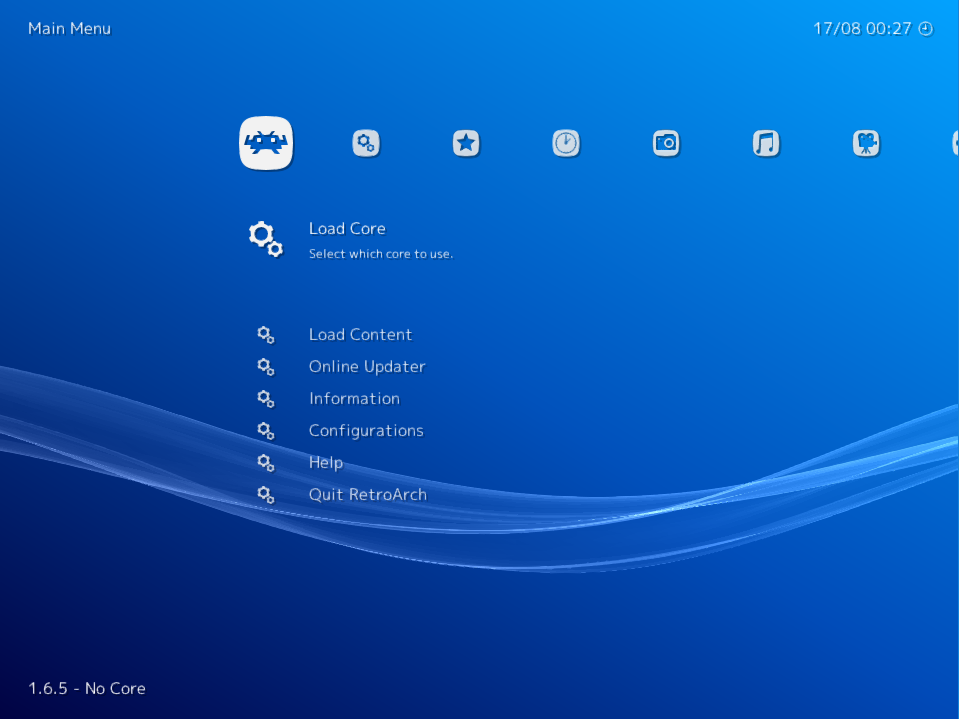
Such a beautiful and familiar UI with buttery smooth animation and navigation...that was until I tried to control it. On Nvidia Shield, a wireless keyboard nor the shield controller work at all. Only the shield remote. Back button on remote takes you back to the game instead of back in the menus. No pre configured button or combo to get back to the menu from a game. The PS3 like UI makes me think I can do these things! If it needs configuration on first launch, it needs a first time wizard.
Kirimkan komentar
Untuk memberikan komentar, masuklah dengan jejaring sosial Anda:
Atau tinggalkan komentar anonim. Komentar Anda akan dikirim untuk dimoderasi.
Kirimkan komentar
Untuk memberikan komentar, masuklah dengan jejaring sosial Anda:
Atau tinggalkan komentar anonim. Komentar Anda akan dikirim untuk dimoderasi.