



Font Manager for Huawei/Honor
2+
unduhan6.0+
versi Android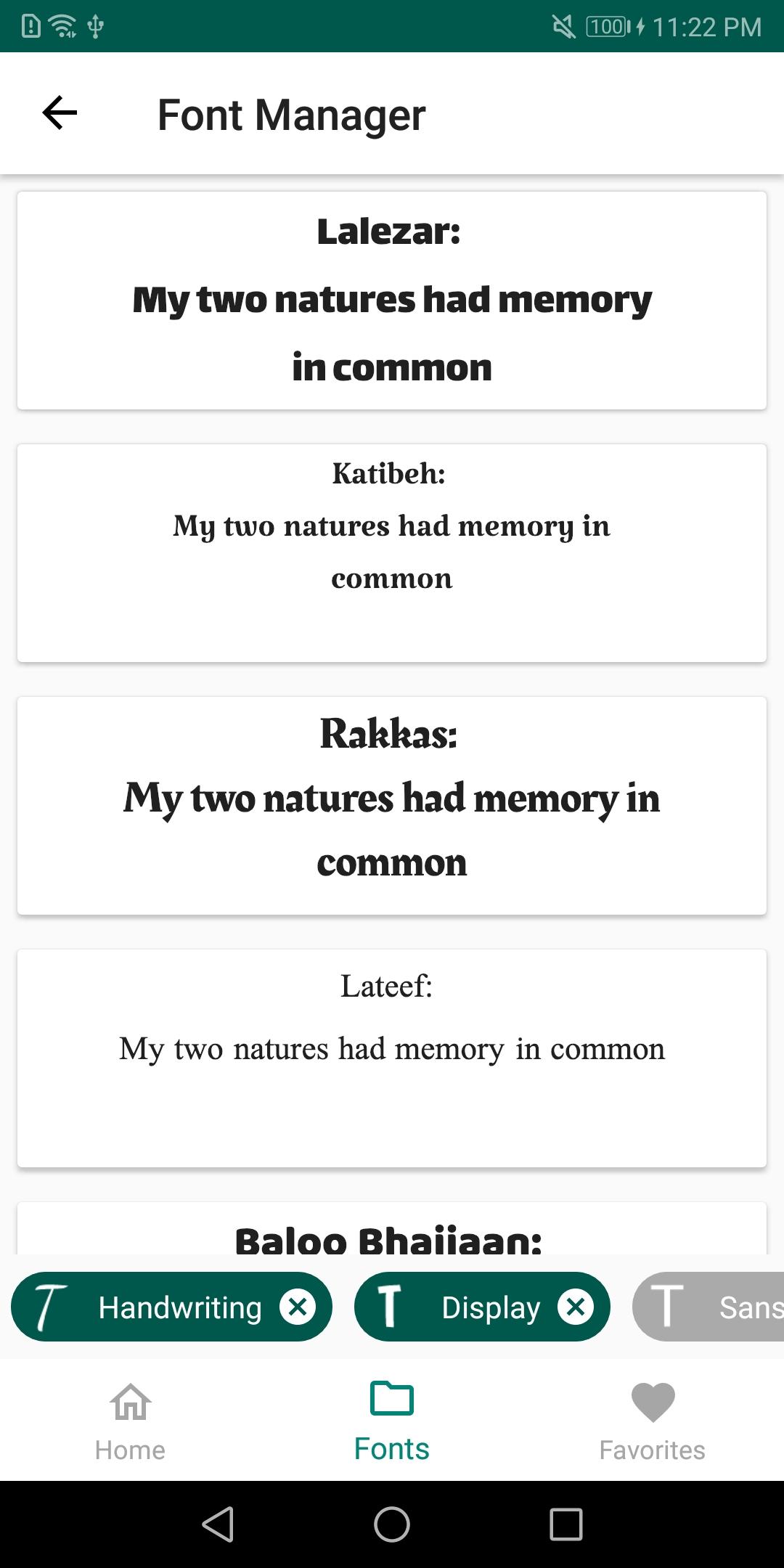
Ditambahkan: Denis Rubinov
Versi: 1.2.1.release
Ukuran: 3.7 MB
Diperbarui: 16.11.2019
Developer: Deishelon Lab
Batasan Usia: Everyone
Otorisasi: 7
Diunduh di Google Play: 6127122
Kategori: Personalisasi
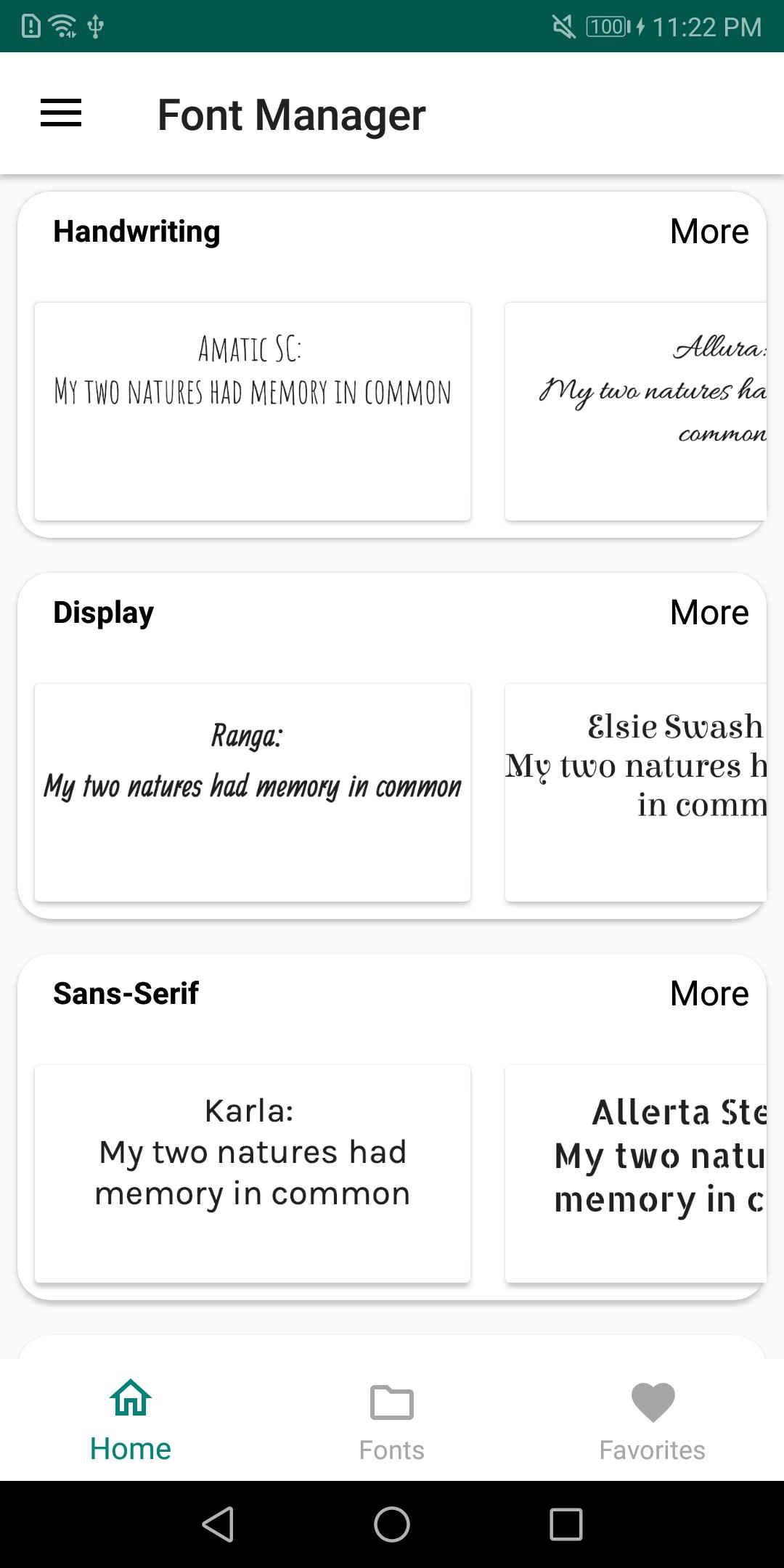
- Bekerja pada EMUI4 dan yang lebih baru.
- Tidak diperlukan ROOT.
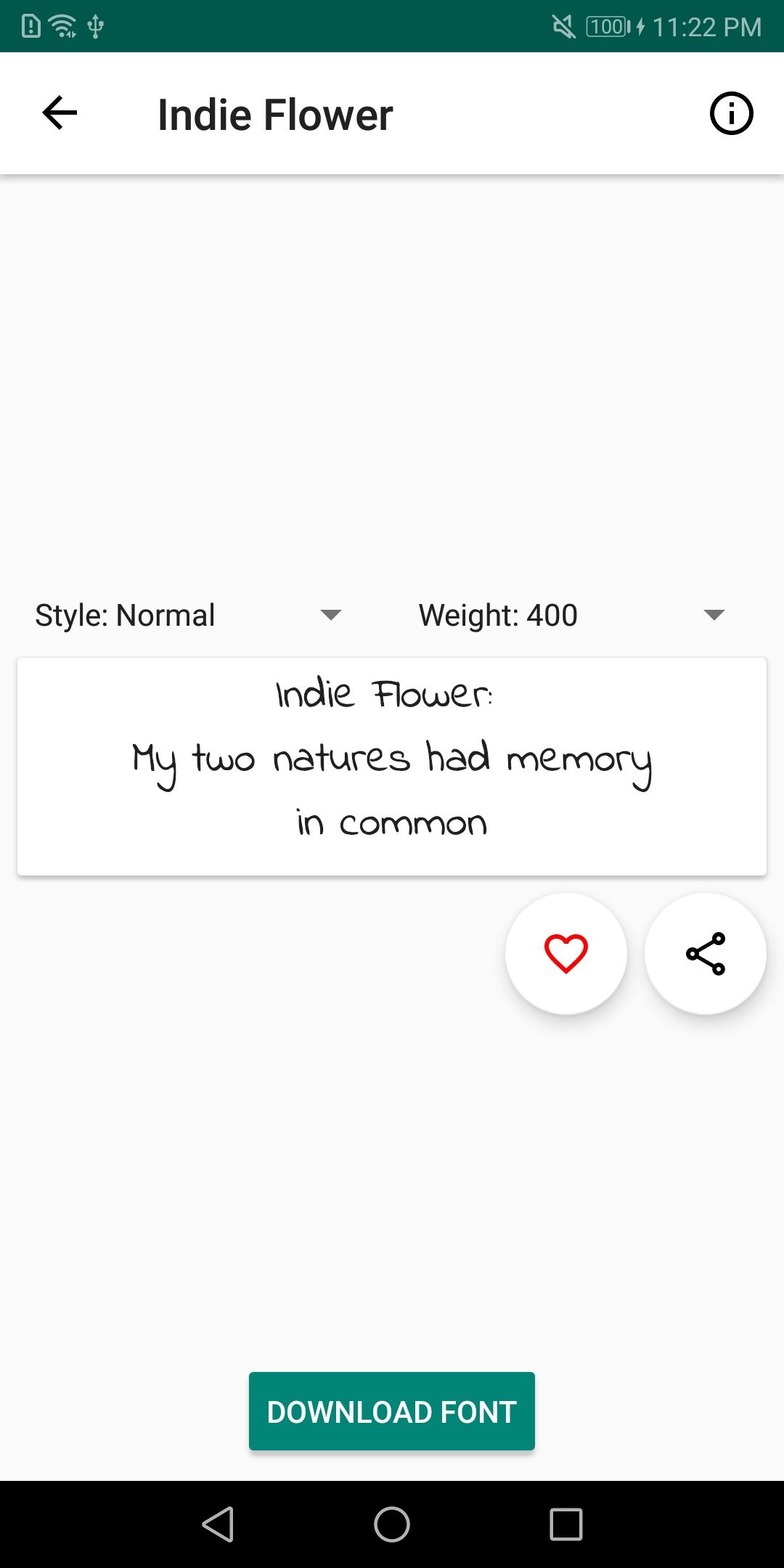
- Buat font Anda sendiri.
- Terjemahan bahasa Rusia.
Deskripsi
Aplikasi Font Manager for Huawei/Honor diperiksa oleh antivirus VirusTotal. Sebagai hasil pemindaian, tidak ada infeksi file yang terdeteksi oleh semua tanda tangan terbaru.
Cara memasang Font Manager for Huawei/Honor
- Unduh file APK aplikasi dari apkshki.com.
- Temukan file yang diunduh. Anda dapat menemukannya di baki sistem atau di folder 'Download' menggunakan manajer file apa pun.
- Jika file yang diunduh berekstensi .bin (bug WebView di Android 11), ubah namanya menjadi .apk menggunakan pengelola file apa pun atau coba unduh file dengan browser lain seperti Chrome.
- Mulai penginstalan. Klik pada file yang diunduh untuk memulai penginstalan
- Izinkan penginstalan dari sumber yang tidak dikenal. Jika Anda menginstal untuk pertama kalinya Font Manager for Huawei/Honor bukan dari Google Play, buka pengaturan keamanan perangkat Anda dan izinkan penginstalan dari sumber yang tidak dikenal.
- Lewati perlindungan Google Play. Jika proteksi Google Play memblokir penginstalan file, ketuk 'Info Lebih Lanjut' → 'Tetap instal' → 'OK' untuk melanjutkan..
- Selesaikan penginstalan: Ikuti petunjuk penginstal untuk menyelesaikan proses penginstalan.
Cara memperbarui Font Manager for Huawei/Honor
- Unduh versi baru aplikasi dari apkshki.com.
- Cari file yang diunduh dan klik file tersebut untuk memulai penginstalan.
- Instal di atas versi lama. Tidak perlu menghapus instalasi versi sebelumnya.
- Hindari konflik tanda tangan. Jika versi sebelumnya tidak diunduh dari apkshki.com, pesan 'Aplikasi tidak terinstal' mungkin muncul. Dalam kasus ini, hapus instalan versi lama dan instal versi baru.
- Mulai ulang lampiran Font Manager for Huawei/Honor setelah pembaruan.






Meminta pembaruan aplikasi
Ditambahkan Denis Rubinov
Versi: 1.2.1.release
Ukuran: 3.7 MB
Diperbarui: 16.11.2019
Developer: Deishelon Lab
Batasan Usia: Everyone
Otorisasi:
Diunduh di Google Play: 6127122
Kategori: Personalisasi















Ulasan untuk Font Manager for Huawei/Honor
its Soo easy to use and I just love it . it has no adds and it has Soo many features, that's amazing. it deserves a 5 star ⭐.
simple !
It's awesome ngl
🥰🥰🥰
Yes it works very good. WOW i cant believe. It can be used on Honor Magic7 Pro with MagicOS 9. Thanks!!!!
crashing too much.
your app is very easy to use..thanks
sooooooooo good
arghhhh if you wanna knoww install it😣😣
عالی
Helped me change my phone's font to a custom one that wasn't even in the app's list. So, does that job perfectly. Bad when I decided to sign-in, thought maybe I'd start tracking my fonts or something. There are no saved fonts or history, and you just see your name with nothing on the page in the user profile.
Could not figure out how to apply a font. The help instructions kept referring to menu items that do not exist in the application menu. Then, to make matters worse, you are bombarded with ads and clickbait. Frustrating! 1/5 stars.
This app gives such a wide variety of fonts, which are FREE! None of them cost me! I thought I had some issues with it before, but it has all been fixed and it wasn't the app's fault. Overall, I would totally recommend this great app to anyone who needs to spice up their device's look. I love this app now 😘
A year ago I switched from Samsung to Huawei. All was great except I was missing the font "tetra". After a bit of a search I came across this wonderful app. And guess what, the font I was looking for was available and it was free!!! Love it! There are plenty of other fonts too!
Love this app at first. Now I wish I didn't download this app! I want to go back to the built-in font of my phone but it seems like it's overriding the setting. Even though I've deleted the font and uninstalled the app still can't go back to the original. I want to use Name Art app but it won't work because again this app is overriding my phone's font settings.
Kirimkan komentar
Untuk memberikan komentar, masuklah dengan jejaring sosial Anda:
Atau tinggalkan komentar anonim. Komentar Anda akan dikirim untuk dimoderasi.
Kirimkan komentar
Untuk memberikan komentar, masuklah dengan jejaring sosial Anda:
Atau tinggalkan komentar anonim. Komentar Anda akan dikirim untuk dimoderasi.