





Ditambahkan: Denis Rubinov
Versi: 0.9.8.2
Ukuran: 1 MB
Diperbarui: 12.05.2020
Developer: hinterhofapps
Batasan Usia: Everyone
Kategori: Alat
Deskripsi
Aplikasi Slider Widget - Volumes diperiksa oleh antivirus VirusTotal. Sebagai hasil pemindaian, tidak ada infeksi file yang terdeteksi oleh semua tanda tangan terbaru.
Cara memasang Slider Widget - Volumes
- Unduh file APK aplikasi dari apkshki.com.
- Temukan file yang diunduh. Anda dapat menemukannya di baki sistem atau di folder 'Download' menggunakan manajer file apa pun.
- Jika file yang diunduh berekstensi .bin (bug WebView di Android 11), ubah namanya menjadi .apk menggunakan pengelola file apa pun atau coba unduh file dengan browser lain seperti Chrome.
- Mulai penginstalan. Klik pada file yang diunduh untuk memulai penginstalan
- Izinkan penginstalan dari sumber yang tidak dikenal. Jika Anda menginstal untuk pertama kalinya Slider Widget - Volumes bukan dari Google Play, buka pengaturan keamanan perangkat Anda dan izinkan penginstalan dari sumber yang tidak dikenal.
- Lewati perlindungan Google Play. Jika proteksi Google Play memblokir penginstalan file, ketuk 'Info Lebih Lanjut' → 'Tetap instal' → 'OK' untuk melanjutkan..
- Selesaikan penginstalan: Ikuti petunjuk penginstal untuk menyelesaikan proses penginstalan.
Cara memperbarui Slider Widget - Volumes
- Unduh versi baru aplikasi dari apkshki.com.
- Cari file yang diunduh dan klik file tersebut untuk memulai penginstalan.
- Instal di atas versi lama. Tidak perlu menghapus instalasi versi sebelumnya.
- Hindari konflik tanda tangan. Jika versi sebelumnya tidak diunduh dari apkshki.com, pesan 'Aplikasi tidak terinstal' mungkin muncul. Dalam kasus ini, hapus instalan versi lama dan instal versi baru.
- Mulai ulang lampiran Slider Widget - Volumes setelah pembaruan.








Meminta pembaruan aplikasi
Ditambahkan Denis Rubinov
Versi: 0.9.8.2
Ukuran: 1 MB
Diperbarui: 12.05.2020
Developer: hinterhofapps
Batasan Usia: Everyone
Kategori: Alat















Ulasan untuk Slider Widget - Volumes
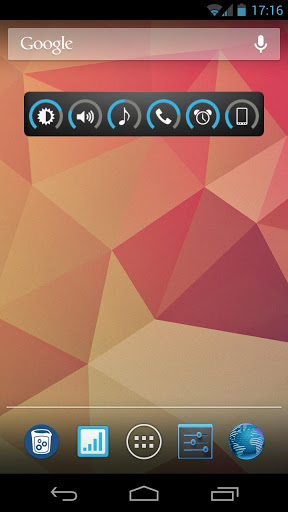
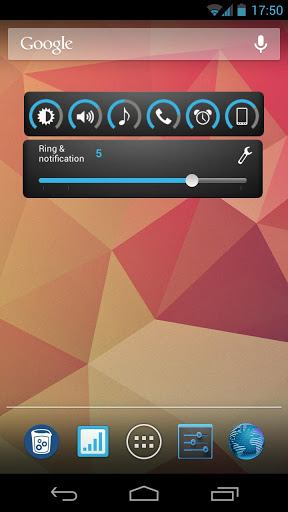
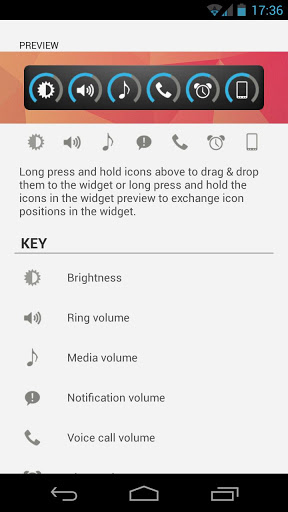
This is a straight no bs app that lets you add widgets to the home screen. You have different widgets to choose from and you can also have one that controls media, alarms, ringtone, brightness and system. only downside is that it gives you a warning when using it under Android pie. it lacks updates because of how effective it is at doing what it describes. thanks dev for not using any ads at all. might donate if you had a link.
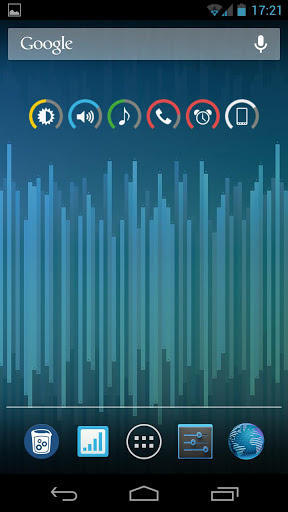
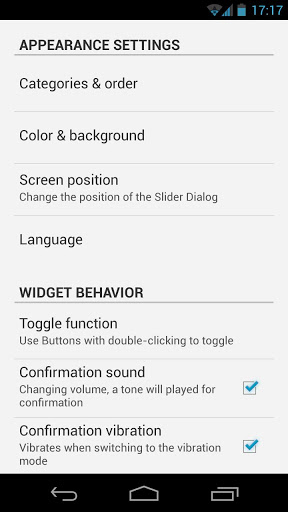
Excellent app, running great on Samsung SM-J327A phone. Widgets can be dropped as individual controls or as multi-control toolbar. Lots of flexibility and highly intuitive interface. Many customization options, such as transparent widget background. I particularly like seeing a volume level icon on my home screen. This ad-free app is so good I'm surprised the dev doesn't charge for it.
AMAZING!!! I've never seen an app that hasn't been updated in so long still function... Not only does this function, I now can't imagine my Android without it. For over 10 years, when I wanted to change my volume without loud button clicks, I could just swipe up and boom, volume slider. Got my first real Android, a Galaxy S10 and I am beyond belief that a phone can't even come with a standard volume control built in with the brightness control. CRAZY ANDROID. So this is a MUST for me. Oh Android
Does exactly what I need, nothing more, nothing less. Put a volume control widget on home page and with 2 taps, you can control all major vol categories. Widget background can be transparent, icon color schemes are a bit limited. Only limitation is that the widget doesnt float, so if you get a call, you have to minimize your phone app to get to the vol widget. I looked at 20 vol apps and widgets, this was the cleanest. No adds, no permissions.
This is the 2nd phone I've installed this widget on. Alcatel A7 with Android 6.0.1 as well as my Motorola G7 android 9 upgd to 10. Eeeeeasy & Flaaaawlesssss. Also the 2 phones have 2 different launchers. Does exactly what it's supposed to, exactly the way it's supposed to. Exactly. Best slider & Color scheme available. I guess there are some phones, phone settings or more likely launchers it may not work with , but it would be well worth the try. My experience: it worked perfectly. Twice!
I like this app alot. But, as I'm sure the developers know, there needs to be some kind of calibration mode. Turning the brightness all the way down doesn't actually turn the brightness all the way down. The volumes are not spot on. Small request and I'll keep using it because it's really useful but that would make it much better.
Too bad this isn't updated anymore... when phone sound is reactivated the ringer volume never comes back up to full sound. It's the only one that doesn't out of all the little buttons on the bar I've created with this widget. Used this for years.. Don't see anything else I like better.
I've been using this app for years and I like this app very much because it does what it says it does, except for one thing I've noticed recently. For no reason I've noticed that my alarm volume suddenly gets turned down to the lowest setting. This worries me because if there's a time when I don't notice it, I'm concerned I might not hear it and be late for work! Besides this weird glitch I find this app very helpful.
Really good. I just wanted to be able to quickly see all the different volume levels these phones now have (usually to make sure they're all off, when necessary). The ability to press then slide each volume is a bonus.
I've used this for years and it still works perfectly on Android 9 despite the lack of recent updates to the app. Many developers could learn a thing or two from this app, if something's coded well from day one, there's no reason to constantly need to update.
Kirimkan komentar
Untuk memberikan komentar, masuklah dengan jejaring sosial Anda:
Atau tinggalkan komentar anonim. Komentar Anda akan dikirim untuk dimoderasi.
Kirimkan komentar
Untuk memberikan komentar, masuklah dengan jejaring sosial Anda:
Atau tinggalkan komentar anonim. Komentar Anda akan dikirim untuk dimoderasi.