


spacedesk - USB Display for PC
0+
unduhan4.1
versi Android
Ditambahkan: Denis Rubinov
Versi: 2.1.20
Ukuran: 3.3 MB
Diperbarui: 24.06.2025
Developer: datronicsoft Technology GmbH
Otorisasi: 4
Diunduh di Google Play: 6243543
Kategori: Kerja
Deskripsi
Aplikasi spacedesk - USB Display for PC diperiksa oleh antivirus VirusTotal. Sebagai hasil pemindaian, tidak ada infeksi file yang terdeteksi oleh semua tanda tangan terbaru.
Cara memasang spacedesk - USB Display for PC
- Unduh file APK aplikasi dari apkshki.com.
- Temukan file yang diunduh. Anda dapat menemukannya di baki sistem atau di folder 'Download' menggunakan manajer file apa pun.
- Jika file yang diunduh berekstensi .bin (bug WebView di Android 11), ubah namanya menjadi .apk menggunakan pengelola file apa pun atau coba unduh file dengan browser lain seperti Chrome.
- Mulai penginstalan. Klik pada file yang diunduh untuk memulai penginstalan
- Izinkan penginstalan dari sumber yang tidak dikenal. Jika Anda menginstal untuk pertama kalinya spacedesk - USB Display for PC bukan dari Google Play, buka pengaturan keamanan perangkat Anda dan izinkan penginstalan dari sumber yang tidak dikenal.
- Lewati perlindungan Google Play. Jika proteksi Google Play memblokir penginstalan file, ketuk 'Info Lebih Lanjut' → 'Tetap instal' → 'OK' untuk melanjutkan..
- Selesaikan penginstalan: Ikuti petunjuk penginstal untuk menyelesaikan proses penginstalan.
Cara memperbarui spacedesk - USB Display for PC
- Unduh versi baru aplikasi dari apkshki.com.
- Cari file yang diunduh dan klik file tersebut untuk memulai penginstalan.
- Instal di atas versi lama. Tidak perlu menghapus instalasi versi sebelumnya.
- Hindari konflik tanda tangan. Jika versi sebelumnya tidak diunduh dari apkshki.com, pesan 'Aplikasi tidak terinstal' mungkin muncul. Dalam kasus ini, hapus instalan versi lama dan instal versi baru.
- Mulai ulang lampiran spacedesk - USB Display for PC setelah pembaruan.



Meminta pembaruan aplikasi
Ditambahkan Denis Rubinov
Versi: 2.1.20
Ukuran: 3.3 MB
Diperbarui: 24.06.2025
Developer: datronicsoft Technology GmbH
Otorisasi:
Diunduh di Google Play: 6243543
Kategori: Kerja















Ulasan untuk spacedesk - USB Display for PC
Good app, really helpful on the move
It's a great app....
Bast Free spild screen Progam
I asked to chat gpt "Android to Android display monitoring independently" chat gpt suggest spacedesk app and said in your main phone go to menu >settings note ip address and your second phone click + button and type ip address but I haven't found ip address any where in my main phone, just imagine you 2 or 3 lowend smartphones and you can use your low end smartphones as your main phones secondary display how helpful is it for multitasking if I have pc I will definitely try to make that typeapp
This Was Wrong, The Devices section and the Start Server button were removed from the Space Desk app in v1.3.0. This was done because the developers of the app felt that these features were not being used by many people. It was wrong, where is space desk driver console iam talking for Android to Android external display independently
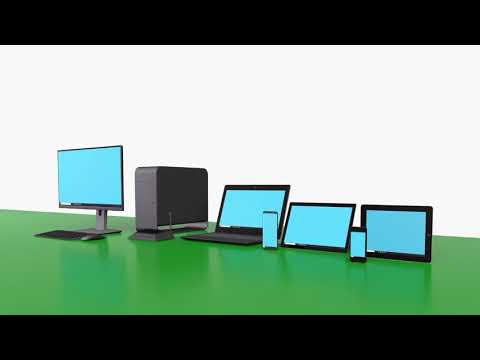
Awesome laptop screen extension app using Android!
Nice performance and great option for second monitor using android.
No internet no problem so good fast no lag
I'll be honest the screen resolution take some configuring I suggest trying to find the closest factor of your Android screen to your real screen provided the Android screen has a higher resolution as mine does but once you figure out that factor and configure your device accordingly it works perfectly
Works great
Kirimkan komentar
Untuk memberikan komentar, masuklah dengan jejaring sosial Anda:
Atau tinggalkan komentar anonim. Komentar Anda akan dikirim untuk dimoderasi.
Kirimkan komentar
Untuk memberikan komentar, masuklah dengan jejaring sosial Anda:
Atau tinggalkan komentar anonim. Komentar Anda akan dikirim untuk dimoderasi.