



Ditambahkan: Denis Rubinov
Versi: 5.0.13
Ukuran: 4.7 MB
Diperbarui: 02.01.2023
Developer: beyondsw.assistive
Batasan Usia: Everyone
Kategori: Alat
Deskripsi
Aplikasi Assistive Touch,Screenshot(qui diperiksa oleh antivirus VirusTotal. Sebagai hasil pemindaian, tidak ada infeksi file yang terdeteksi oleh semua tanda tangan terbaru.
Cara memasang Assistive Touch,Screenshot(qui
- Unduh file APK aplikasi dari apkshki.com.
- Temukan file yang diunduh. Anda dapat menemukannya di baki sistem atau di folder 'Download' menggunakan manajer file apa pun.
- Jika file yang diunduh berekstensi .bin (bug WebView di Android 11), ubah namanya menjadi .apk menggunakan pengelola file apa pun atau coba unduh file dengan browser lain seperti Chrome.
- Mulai penginstalan. Klik pada file yang diunduh untuk memulai penginstalan
- Izinkan penginstalan dari sumber yang tidak dikenal. Jika Anda menginstal untuk pertama kalinya Assistive Touch,Screenshot(qui bukan dari Google Play, buka pengaturan keamanan perangkat Anda dan izinkan penginstalan dari sumber yang tidak dikenal.
- Lewati perlindungan Google Play. Jika proteksi Google Play memblokir penginstalan file, ketuk 'Info Lebih Lanjut' → 'Tetap instal' → 'OK' untuk melanjutkan..
- Selesaikan penginstalan: Ikuti petunjuk penginstal untuk menyelesaikan proses penginstalan.
Cara memperbarui Assistive Touch,Screenshot(qui
- Unduh versi baru aplikasi dari apkshki.com.
- Cari file yang diunduh dan klik file tersebut untuk memulai penginstalan.
- Instal di atas versi lama. Tidak perlu menghapus instalasi versi sebelumnya.
- Hindari konflik tanda tangan. Jika versi sebelumnya tidak diunduh dari apkshki.com, pesan 'Aplikasi tidak terinstal' mungkin muncul. Dalam kasus ini, hapus instalan versi lama dan instal versi baru.
- Mulai ulang lampiran Assistive Touch,Screenshot(qui setelah pembaruan.








Meminta pembaruan aplikasi
Ditambahkan Denis Rubinov
Versi: 5.0.13
Ukuran: 4.7 MB
Diperbarui: 02.01.2023
Developer: beyondsw.assistive
Batasan Usia: Everyone
Kategori: Alat















Ulasan untuk Assistive Touch,Screenshot(qui
Love almost everything about this app. Except for the brightness and volume buttons. I'm actually able to adjust them using this app, but as soon as my screen turns off, and try opening it again, brightness and volume will go back from the original adjustment set on the actual mobile phone. Is there a work around for this issue? (It'll definitely be a 5 STAR rating rather than 3 if I'll be able to fix this.) Thanksss! :)
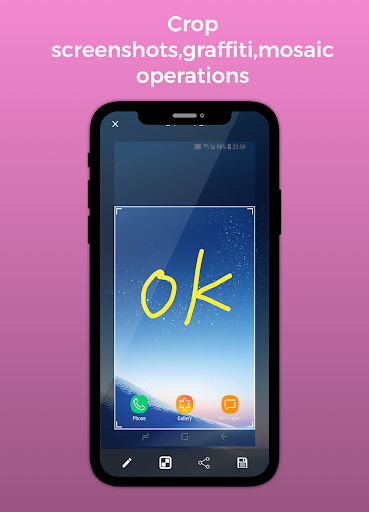
so dang good and I couldn't ask for more.. but of course we can't avoid imperfections and that's what I'm about to say. Only one thing, the long screenshot.. it's manual I mean it's like connecting two or more screenshots vertically, I thought you could scroll as you screenshot.. but yeah over all, it's good and you won't regret downloading it cause it has a lot of good features like, man. I was about to cry while comparing it to my old assistive touch. So worth it.
Kirimkan komentar
Untuk memberikan komentar, masuklah dengan jejaring sosial Anda:
Atau tinggalkan komentar anonim. Komentar Anda akan dikirim untuk dimoderasi.
Kirimkan komentar
Untuk memberikan komentar, masuklah dengan jejaring sosial Anda:
Atau tinggalkan komentar anonim. Komentar Anda akan dikirim untuk dimoderasi.