



Crop Image - Resize image
6+
unduhan4.1+
versi Android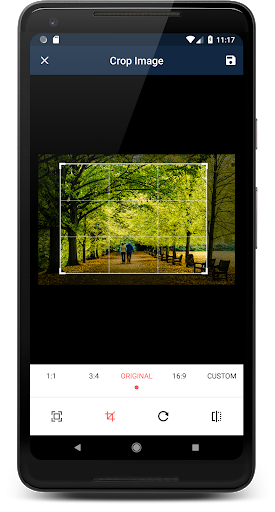

Ditambahkan: Denis Rubinov
Versi: 1.9.2
Ukuran: 2.7 MB
Diperbarui: 23.07.2020
Developer: Rectfy
Batasan Usia: Everyone
Otorisasi: 5
Diunduh di Google Play: 403898
Kategori: Foto
Deskripsi
Aplikasi Crop Image - Resize image diperiksa oleh antivirus VirusTotal. Sebagai hasil pemindaian, tidak ada infeksi file yang terdeteksi oleh semua tanda tangan terbaru.
Cara memasang Crop Image - Resize image
- Unduh file APK aplikasi dari apkshki.com.
- Temukan file yang diunduh. Anda dapat menemukannya di baki sistem atau di folder 'Download' menggunakan manajer file apa pun.
- Jika file yang diunduh berekstensi .bin (bug WebView di Android 11), ubah namanya menjadi .apk menggunakan pengelola file apa pun atau coba unduh file dengan browser lain seperti Chrome.
- Mulai penginstalan. Klik pada file yang diunduh untuk memulai penginstalan
- Izinkan penginstalan dari sumber yang tidak dikenal. Jika Anda menginstal untuk pertama kalinya Crop Image - Resize image bukan dari Google Play, buka pengaturan keamanan perangkat Anda dan izinkan penginstalan dari sumber yang tidak dikenal.
- Lewati perlindungan Google Play. Jika proteksi Google Play memblokir penginstalan file, ketuk 'Info Lebih Lanjut' → 'Tetap instal' → 'OK' untuk melanjutkan..
- Selesaikan penginstalan: Ikuti petunjuk penginstal untuk menyelesaikan proses penginstalan.
Cara memperbarui Crop Image - Resize image
- Unduh versi baru aplikasi dari apkshki.com.
- Cari file yang diunduh dan klik file tersebut untuk memulai penginstalan.
- Instal di atas versi lama. Tidak perlu menghapus instalasi versi sebelumnya.
- Hindari konflik tanda tangan. Jika versi sebelumnya tidak diunduh dari apkshki.com, pesan 'Aplikasi tidak terinstal' mungkin muncul. Dalam kasus ini, hapus instalan versi lama dan instal versi baru.
- Mulai ulang lampiran Crop Image - Resize image setelah pembaruan.

Google Photos
Foto

Funimate Video Editor & Maker
Pemutar & Editor Video

Scribbl - Photo & Video Effect
Seni dan Desain

Slideshow Maker, Video Editor
Pemutar & Editor Video

Pixel Camera
Foto

DOUPAI - DOUPAI Face
Foto

Face Live Camera: Face Filters
Foto

PowerDirector - Video Editor
Pemutar & Editor Video
Meminta pembaruan aplikasi
Ditambahkan Denis Rubinov
Versi: 1.9.2
Ukuran: 2.7 MB
Diperbarui: 23.07.2020
Developer: Rectfy
Batasan Usia: Everyone
Otorisasi:
Diunduh di Google Play: 403898
Kategori: Foto















Ulasan untuk Crop Image - Resize image
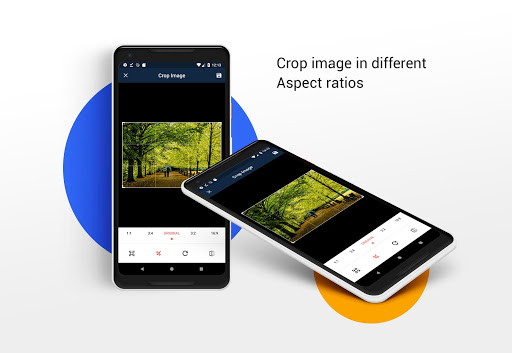
Best image cropper I've used! It allows you to pick a custom aspect ratio, and make sure your photos fit within it. Now, my photos make perfect wallpapers, with no black edging. One issue is, you have to zoom out after choosing the aspect ratio. Otherwise, it will crop more than necessary.
Terrible cannot rotate 90 degrees. When I click rotate 90 degrees the fence option does not flip also, terrible feature that should not be included with rotation. No button. No fence to turn. No option at all. At least make it easy to rotate 90 without fence ruining the photo. Just terrible develepors. No excuses. Full of ads that don't let you click anything takes up whole screen even the back and home buttons. 100% Terrible..
Very limited controls, & rotation. No "pinch/un+pinch" pic. Also, weak settings. App doesn't let u adjust for left/right/up/down. But at least when u save pic (in app's dir), file size doesn't increase. Kudos app uses standard file mgmt, too. So if u can use it, this app can be useful. Only a few Mb to dl.
Update: From 5 to 1 Star. Since buying the app, it no longer opens any of my Google Photos images. Also, having already reviewed the app, I don't expect to be requested to do so continually. Previous:Simple but effective cropping tool that doesn't reduce resolution. I prefer it to others due to the fact that the custom crop option retains previous settings. I use it to simulate Hasselblads XPan 27:10 format. Well worth the 99p to support the developer.
Simple to use intuitively. Quick and simple menus, has all you need to do straightforward image work. Issue is how to save changes choose where and exit app. No help here. Arkward to quit as it blocks android exit and you find you are stuck in ads. I had to use a file editor to track down my new image and save it where i wanted - not uploaded anywhere. Needs good save on all screens. Needs exit on all screens.
Not easy to use because the cropping selection box can only be grabbed from corners and when you do that you will accidentally resize/stretch the image. Terrible. There is no undo button either. App must be restarted, and intrusive ad shown. Frustrating all around. Poor design choice. Better apps out there.
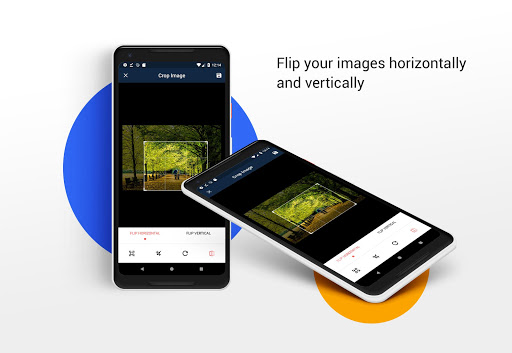
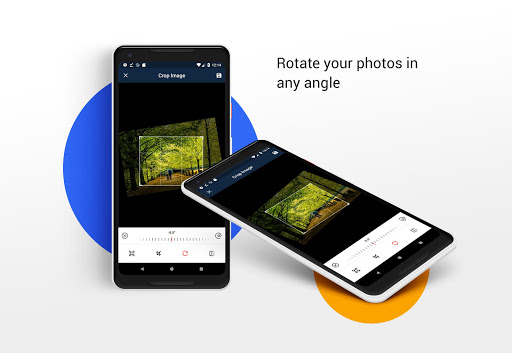
The aspect ratio changes when you rotate the image, it becomes larger, and does not remain at the set ratio. Rotating good, size good, crop and size when rotated picture clash! I move and hold the picture in the rotated position snd save it! That works a bit. Fix it for 5 stars and you get bucks!
- The cropping in itself is very good - The cropped images move to a "Crop Image" folder instead of staying in the same one and I find it annoying, because I have to move each cropped picture by hand - I wish there was an option to edit the image again in case you're not sure about how you just cropped the picture - The app keeps asking if I'm happy with it even if I already left a review
Kirimkan komentar
Untuk memberikan komentar, masuklah dengan jejaring sosial Anda:
Atau tinggalkan komentar anonim. Komentar Anda akan dikirim untuk dimoderasi.
Kirimkan komentar
Untuk memberikan komentar, masuklah dengan jejaring sosial Anda:
Atau tinggalkan komentar anonim. Komentar Anda akan dikirim untuk dimoderasi.