




Ditambahkan: Denis Rubinov
Versi: 2.1.9
Ukuran: 12.8 MB
Diperbarui: 11.12.2021
Developer: SameBits
Batasan Usia: Everyone
Kategori: Foto
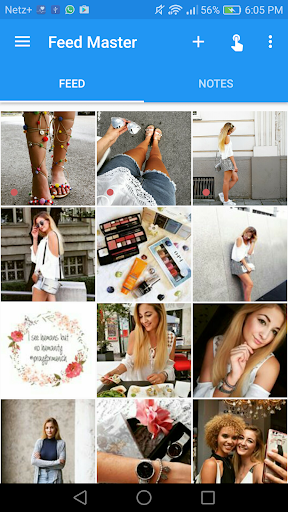
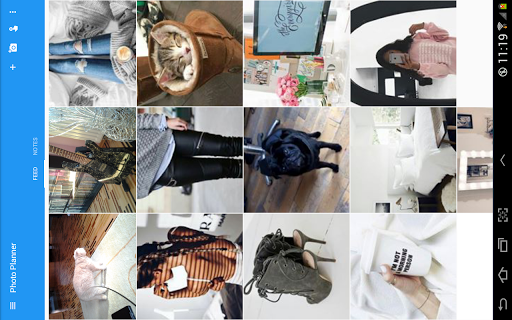
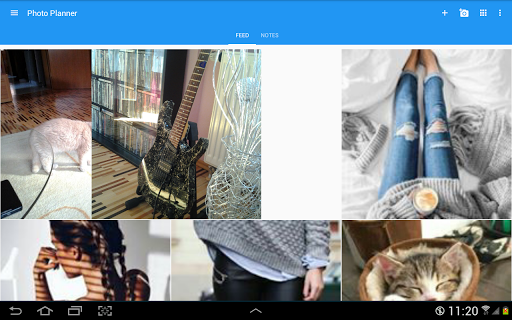
- Anda bisa mengupload feed Instagram mereka yang sebenarnya.
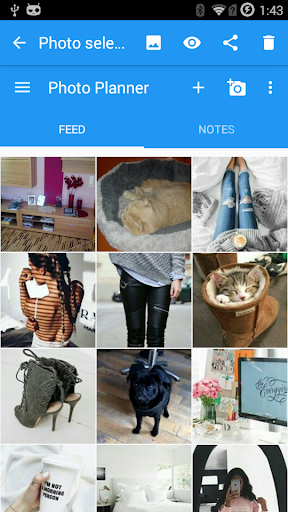
- Unggah foto dari memori perangkat atau cloud.
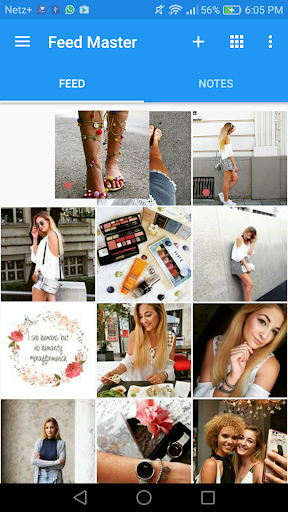
- Mengganti foto semudah mungkin.
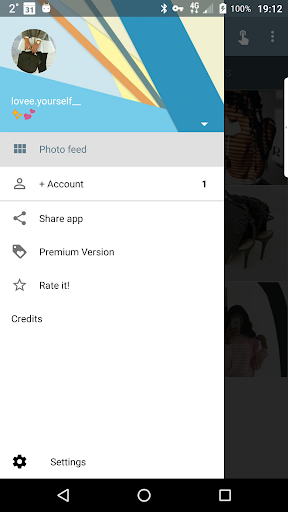
- Tambahkan beberapa akun Instagram.
- Loading cepat di Instagram.
Deskripsi
Aplikasi Feed Master for Instagram diperiksa oleh antivirus VirusTotal. Sebagai hasil pemindaian, tidak ada infeksi file yang terdeteksi oleh semua tanda tangan terbaru.
Cara memasang Feed Master for Instagram
- Unduh file APK aplikasi dari apkshki.com.
- Temukan file yang diunduh. Anda dapat menemukannya di baki sistem atau di folder 'Download' menggunakan manajer file apa pun.
- Jika file yang diunduh berekstensi .bin (bug WebView di Android 11), ubah namanya menjadi .apk menggunakan pengelola file apa pun atau coba unduh file dengan browser lain seperti Chrome.
- Mulai penginstalan. Klik pada file yang diunduh untuk memulai penginstalan
- Izinkan penginstalan dari sumber yang tidak dikenal. Jika Anda menginstal untuk pertama kalinya Feed Master for Instagram bukan dari Google Play, buka pengaturan keamanan perangkat Anda dan izinkan penginstalan dari sumber yang tidak dikenal.
- Lewati perlindungan Google Play. Jika proteksi Google Play memblokir penginstalan file, ketuk 'Info Lebih Lanjut' → 'Tetap instal' → 'OK' untuk melanjutkan..
- Selesaikan penginstalan: Ikuti petunjuk penginstal untuk menyelesaikan proses penginstalan.
Cara memperbarui Feed Master for Instagram
- Unduh versi baru aplikasi dari apkshki.com.
- Cari file yang diunduh dan klik file tersebut untuk memulai penginstalan.
- Instal di atas versi lama. Tidak perlu menghapus instalasi versi sebelumnya.
- Hindari konflik tanda tangan. Jika versi sebelumnya tidak diunduh dari apkshki.com, pesan 'Aplikasi tidak terinstal' mungkin muncul. Dalam kasus ini, hapus instalan versi lama dan instal versi baru.
- Mulai ulang lampiran Feed Master for Instagram setelah pembaruan.








Meminta pembaruan aplikasi
Ditambahkan Denis Rubinov
Versi: 2.1.9
Ukuran: 12.8 MB
Diperbarui: 11.12.2021
Developer: SameBits
Batasan Usia: Everyone
Kategori: Foto















Ulasan untuk Feed Master for Instagram
Everything was great till the beginning of August. I thought that was some temporary issues, but it starts driving me crazy, TBH. It's a pity I can add a screencast but it shows too strange things. First, it says "Cannot load online photos.. (Access denied [expired?]. New login required.) When I start logging in it simply shows the same thing. I've got the paid version so it's twice inappropriate...
I didn't use the app for too long, i can not swap the images, i can only move them around. If i have fully arranged my feed, sometimes, all i want to is just "swap" 2 imaged, but since i can't, i move the image and guess what, the whole feed scatters. ( I will select swap in setting and update) thanks @samebits
I spent a lot of my time to arrange and planning using this app, and then it suddenly disappeared, many photo can not be displayed. I have reloaded it, but it doesn't work. I want to report this but it doesn't have the feature to report, even to ask for help. I'm so disappointed!!!
the app is mostly fine for me, i dont know why so many others are having so many issues. the one issue i have though is that it keeps redownloading the photos i put in the app into my gallery app on my phone. so ill go into my gallery and find the photos redownloaded even though i deleted them and dont want them saved anymore. really annoying but not the end of the world i guess
This app doesn't do the job. Any time I leave it and revisit it, even without fully closing it, my planned posts turn blank and invisible. So I take screenshots now. I already reinstallled it twice. The reason I still use the app is because it uses up a lot less storage space than other planners.
it was good so far but it won't let me log in anymore..Or before when I was logged in it would sometimes say there's a problem with syncing the photos in my Instagram account..it became really frustrating so I uninstalled it,a pity...
My IG/FB always flags this as "suspicious" so I need to re-login with the extra security code every single time. Then once I'm in, the row of button across the screen that looks like IG simply do not do anything. IDK if they're supposed to do anything, but they don't. On the screen where I've shared photos from my Gallery, I can move them and do the Notes, but that's it? Can't upload them to IG? Using the Share icon to IG doesn't do anything. I've checked all Permissions so IDK
Everything was fine before, but now I can't add images because of the error "Unsupported data sourse". Okay. But what does that mean? How to solve? Don't see any direction. Uninstall.
It was working well but not when i upload pics and exit, i come back on the app and they are not loading. Just a bunch of squares. Pretty annoying considering i have to reupload or screenshot just to remember what i put
You wrote below that "two way synch is impossible"..... What is the point of this app then? I wanted it to rearrange my photo order on Instagram, not on this app which no one will see. What's the point of this app?
Kirimkan komentar
Untuk memberikan komentar, masuklah dengan jejaring sosial Anda:
Atau tinggalkan komentar anonim. Komentar Anda akan dikirim untuk dimoderasi.
Kirimkan komentar
Untuk memberikan komentar, masuklah dengan jejaring sosial Anda:
Atau tinggalkan komentar anonim. Komentar Anda akan dikirim untuk dimoderasi.