


Bike Computer - Cycling Tool
0+
unduhan4.2+
versi Android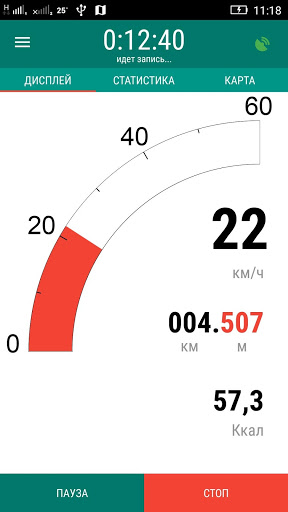


Ditambahkan: Denis Rubinov
Versi: 4.0
Ukuran: 10.2 MB
Diperbarui: 01.02.2024
Developer: fitzeee.com
Batasan Usia: Everyone
Otorisasi: 9
Diunduh di Google Play: 5210665
Kategori: Kesehatan & Kebugaran
Deskripsi
Aplikasi Bike Computer - Cycling Tool diperiksa oleh antivirus VirusTotal. Sebagai hasil pemindaian, tidak ada infeksi file yang terdeteksi oleh semua tanda tangan terbaru.
Cara memasang Bike Computer - Cycling Tool
- Unduh file APK aplikasi dari apkshki.com.
- Temukan file yang diunduh. Anda dapat menemukannya di baki sistem atau di folder 'Download' menggunakan manajer file apa pun.
- Jika file yang diunduh berekstensi .bin (bug WebView di Android 11), ubah namanya menjadi .apk menggunakan pengelola file apa pun atau coba unduh file dengan browser lain seperti Chrome.
- Mulai penginstalan. Klik pada file yang diunduh untuk memulai penginstalan
- Izinkan penginstalan dari sumber yang tidak dikenal. Jika Anda menginstal untuk pertama kalinya Bike Computer - Cycling Tool bukan dari Google Play, buka pengaturan keamanan perangkat Anda dan izinkan penginstalan dari sumber yang tidak dikenal.
- Lewati perlindungan Google Play. Jika proteksi Google Play memblokir penginstalan file, ketuk 'Info Lebih Lanjut' → 'Tetap instal' → 'OK' untuk melanjutkan..
- Selesaikan penginstalan: Ikuti petunjuk penginstal untuk menyelesaikan proses penginstalan.
Cara memperbarui Bike Computer - Cycling Tool
- Unduh versi baru aplikasi dari apkshki.com.
- Cari file yang diunduh dan klik file tersebut untuk memulai penginstalan.
- Instal di atas versi lama. Tidak perlu menghapus instalasi versi sebelumnya.
- Hindari konflik tanda tangan. Jika versi sebelumnya tidak diunduh dari apkshki.com, pesan 'Aplikasi tidak terinstal' mungkin muncul. Dalam kasus ini, hapus instalan versi lama dan instal versi baru.
- Mulai ulang lampiran Bike Computer - Cycling Tool setelah pembaruan.

Star Chart
Pendidikan

Дурак на раздевание
Permainan papan

Card Game Durak - Rules and Tips
Buku dan Referensi

Durak - Rules of Card Games
Buku dan Referensi

Карточная игра дурак на раздевание - Правила игры
Buku dan Referensi

World Travel Guide by Triposo
Bepergian

izi.TRAVEL: Get a Travel Guide
Bepergian

Magic: The Gathering Arena
Permainan papan
Meminta pembaruan aplikasi
Ditambahkan Denis Rubinov
Versi: 4.0
Ukuran: 10.2 MB
Diperbarui: 01.02.2024
Developer: fitzeee.com
Batasan Usia: Everyone
Otorisasi:
Diunduh di Google Play: 5210665
Kategori: Kesehatan & Kebugaran















Ulasan untuk Bike Computer - Cycling Tool
Amazing app, very usefull, and easy to use. You can track your route, even works while driving a car. It's very accurate.
Great app! I've been using this app for a while. It's simple. And keeps track of my miles.
Good product, limited functionality but does what I want it to do. Works well with no fuss.
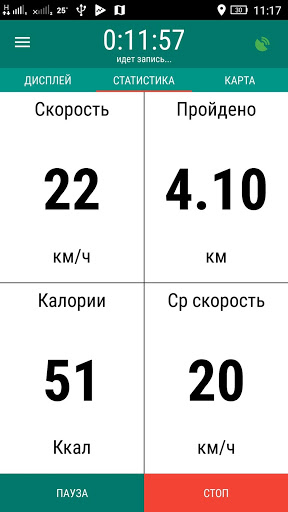
I love how simple it is compared to other similar apps I have tried. I just like a bare bones cycling app that tracks miles, calories, time and speed. Used app for a few years now. Speed and distance has been way off recently. Adds 3-4 miles on my speed and distance. Looking for a new app.
Simple and very usefull up! Just what is needed to track bike activity.
It's a very good app but if you accidentally stop it should be able to resume instead of starting all over
Use it all the time, super helpful. I wish there was a way to name trips after the fact, or for the app to automatically detect when you're driving so the data doesn't get skewed if you forget to stop tracking.
Very good interface. Minor, not important glitch occasionally.
Excellent app gives me what I need without too many bills and whistles. Useful to have route saved.
Good
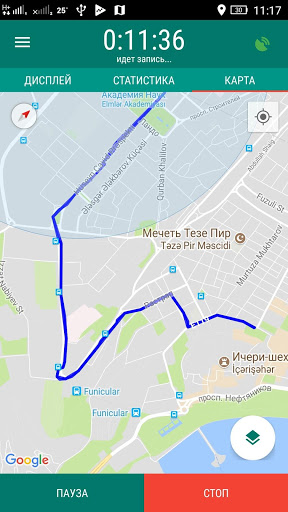
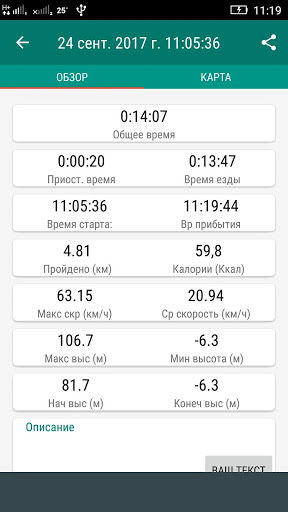
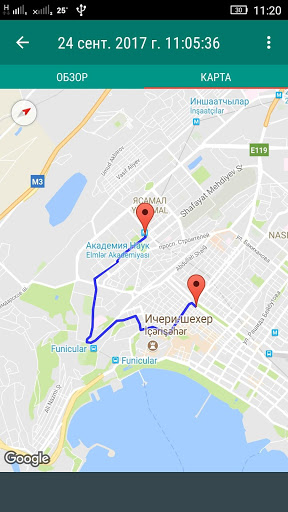
Love this app! It gives me immediate and constant feedback for my ride. The graphics are clear and easy to see from my riding position. I especially like the auto-pause feature if I stop to chat with someone, or have to wait for a traffic light. The stats after a ride a accurate and I love the map it shows of my ride!
Kirimkan komentar
Untuk memberikan komentar, masuklah dengan jejaring sosial Anda:
Atau tinggalkan komentar anonim. Komentar Anda akan dikirim untuk dimoderasi.
Kirimkan komentar
Untuk memberikan komentar, masuklah dengan jejaring sosial Anda:
Atau tinggalkan komentar anonim. Komentar Anda akan dikirim untuk dimoderasi.