



Ditambahkan: Denis Rubinov
Versi: 1.5.6
Ukuran: 19.5 MB
Diperbarui: 13.08.2022
Developer: Julian Casadesus
Batasan Usia: Mature 17+
Diunduh di Google Play: 232532
Kategori: Musik dan audio
Deskripsi
Aplikasi TuxGuitar diperiksa oleh antivirus VirusTotal. Sebagai hasil pemindaian, tidak ada infeksi file yang terdeteksi oleh semua tanda tangan terbaru.
Cara memasang TuxGuitar
- Unduh file APK aplikasi dari apkshki.com.
- Temukan file yang diunduh. Anda dapat menemukannya di baki sistem atau di folder 'Download' menggunakan manajer file apa pun.
- Jika file yang diunduh berekstensi .bin (bug WebView di Android 11), ubah namanya menjadi .apk menggunakan pengelola file apa pun atau coba unduh file dengan browser lain seperti Chrome.
- Mulai penginstalan. Klik pada file yang diunduh untuk memulai penginstalan
- Izinkan penginstalan dari sumber yang tidak dikenal. Jika Anda menginstal untuk pertama kalinya TuxGuitar bukan dari Google Play, buka pengaturan keamanan perangkat Anda dan izinkan penginstalan dari sumber yang tidak dikenal.
- Lewati perlindungan Google Play. Jika proteksi Google Play memblokir penginstalan file, ketuk 'Info Lebih Lanjut' → 'Tetap instal' → 'OK' untuk melanjutkan..
- Selesaikan penginstalan: Ikuti petunjuk penginstal untuk menyelesaikan proses penginstalan.
Cara memperbarui TuxGuitar
- Unduh versi baru aplikasi dari apkshki.com.
- Cari file yang diunduh dan klik file tersebut untuk memulai penginstalan.
- Instal di atas versi lama. Tidak perlu menghapus instalasi versi sebelumnya.
- Hindari konflik tanda tangan. Jika versi sebelumnya tidak diunduh dari apkshki.com, pesan 'Aplikasi tidak terinstal' mungkin muncul. Dalam kasus ini, hapus instalan versi lama dan instal versi baru.
- Mulai ulang lampiran TuxGuitar setelah pembaruan.

Yandex Music, Books & Podcasts
Musik dan audio

Zaycev.Net: music for everyone
Musik dan audio

Mp3Mp4U Download mp3
Musik dan audio

Spotify: Music and Podcasts
Musik dan audio
Music Equalizer - Bass Booster
Musik dan audio

Music Player - Mp3 Player
Musik dan audio
DJ Loop Pads
Musik dan audio

Просто Радио онлайн
Musik dan audio
Meminta pembaruan aplikasi
Ditambahkan Denis Rubinov
Versi: 1.5.6
Ukuran: 19.5 MB
Diperbarui: 13.08.2022
Developer: Julian Casadesus
Batasan Usia: Mature 17+
Diunduh di Google Play: 232532
Kategori: Musik dan audio
















Ulasan untuk TuxGuitar
Thanks but how to remove the numbers below?
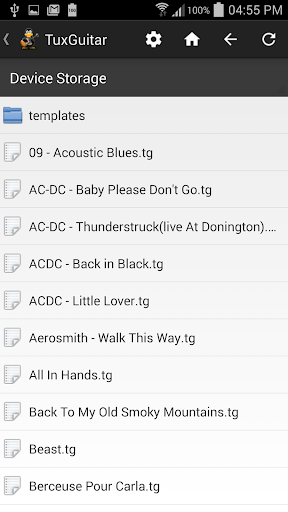
File browsing broken, shows only few files among hundreds in my downloads folder, and none of the gp5 files although there are some. Uninstall
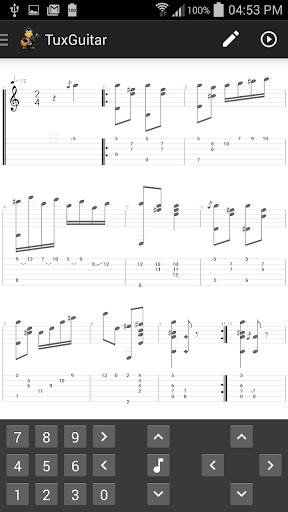
TABs on the go. Great to be able to open and use Tuxguitar files on my tablet. Because screen real estate is limited, it would be helpful to be able select only Score OR Tabs OR both. Interface is ok, especially considering I sync with the PC, so most editing is there and only corrections or find modifications don't on the tablet.
Great app, just have one error to point out, fff and ppp are fortississimo and pianississimo
App is decent on mobile or pc but it is missing a few things, no biggie there though. The problem is the website where you can get tabs or ask for help doesn't even work anymore and no one ever answered questions anyway. You want free? To figure everything out on your own? Go with this, otherwise pay for Guitar Pro.
Can't open gpx files
Awsome
Please add "Dark Mode" options in the page, my eyes hurt while playing for too long. Add more Steel String mode. Waiting for the new update..
Im wondering why dont just the developer would make an app wherein you can select a character and the instrument of course to play your score just like in a game wherein you chooses a hero you want to play with, And if your score has multiple instrument in it you can select the characters of the same number with the instruments in your score ,if played they would look like a band playing a song as you where like watching a video with your favorite anime characters playing your favorite song.
FIX FOR TUXGUITAR NOT RECOGNIZING .TG OR .GP FILES Go into settings and tick "Use SAF provider" - that's it. Overa great program, starting using the PC version back in 2010.
Kirimkan komentar
Untuk memberikan komentar, masuklah dengan jejaring sosial Anda:
Atau tinggalkan komentar anonim. Komentar Anda akan dikirim untuk dimoderasi.
Kirimkan komentar
Untuk memberikan komentar, masuklah dengan jejaring sosial Anda:
Atau tinggalkan komentar anonim. Komentar Anda akan dikirim untuk dimoderasi.