




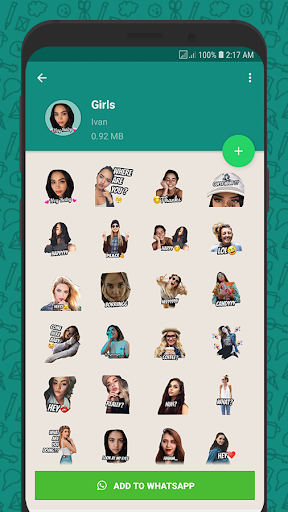
Ditambahkan: Denis Rubinov
Versi: 1.3.3
Ukuran: 81.9 MB
Diperbarui: 13.11.2023
Developer: Picmax
Batasan Usia: Everyone
Diunduh di Google Play: 50525339
Kategori: Komunikasi
Deskripsi
Aplikasi Wemoji - WhatsApp Sticker Make diperiksa oleh antivirus VirusTotal. Sebagai hasil pemindaian, tidak ada infeksi file yang terdeteksi oleh semua tanda tangan terbaru.
Cara memasang Wemoji - WhatsApp Sticker Make
- Unduh file APK aplikasi dari apkshki.com.
- Temukan file yang diunduh. Anda dapat menemukannya di baki sistem atau di folder 'Download' menggunakan manajer file apa pun.
- Jika file yang diunduh berekstensi .bin (bug WebView di Android 11), ubah namanya menjadi .apk menggunakan pengelola file apa pun atau coba unduh file dengan browser lain seperti Chrome.
- Mulai penginstalan. Klik pada file yang diunduh untuk memulai penginstalan
- Izinkan penginstalan dari sumber yang tidak dikenal. Jika Anda menginstal untuk pertama kalinya Wemoji - WhatsApp Sticker Make bukan dari Google Play, buka pengaturan keamanan perangkat Anda dan izinkan penginstalan dari sumber yang tidak dikenal.
- Lewati perlindungan Google Play. Jika proteksi Google Play memblokir penginstalan file, ketuk 'Info Lebih Lanjut' → 'Tetap instal' → 'OK' untuk melanjutkan..
- Selesaikan penginstalan: Ikuti petunjuk penginstal untuk menyelesaikan proses penginstalan.
Cara memperbarui Wemoji - WhatsApp Sticker Make
- Unduh versi baru aplikasi dari apkshki.com.
- Cari file yang diunduh dan klik file tersebut untuk memulai penginstalan.
- Instal di atas versi lama. Tidak perlu menghapus instalasi versi sebelumnya.
- Hindari konflik tanda tangan. Jika versi sebelumnya tidak diunduh dari apkshki.com, pesan 'Aplikasi tidak terinstal' mungkin muncul. Dalam kasus ini, hapus instalan versi lama dan instal versi baru.
- Mulai ulang lampiran Wemoji - WhatsApp Sticker Make setelah pembaruan.









Meminta pembaruan aplikasi
Ditambahkan Denis Rubinov
Versi: 1.3.3
Ukuran: 81.9 MB
Diperbarui: 13.11.2023
Developer: Picmax
Batasan Usia: Everyone
Diunduh di Google Play: 50525339
Kategori: Komunikasi














Ulasan untuk Wemoji - WhatsApp Sticker Make
Great App! Does exactly what it says. I'd love to see more editing options, such as Scale to Fit: hand scaling on a phone is painful. I edit pics in Photoshop and drop them in, due to the editing options being too limited, but even then it's all free hand to try to line it all up. And possibly an option to pay once to get rid of ads. But overall, great app!
Absolutely fantastic app! Easy and fun to use, too. I'd just prefer more diverse picture editing capabilities (saturation, contrast, more effects, ect, ect...) in the app itself, as I often require adding such effects before finishing my sticker, but other than that, I would definitely recommend this app if you're looking to create your own sticker galleries.
I like the interface and how you manage your files. The stickers edit is also very easy and smooth to use. The only thing missing for the 5 star is the fact that if I have a png already having a transparent background I still have to cut it in the app, it isnt taken automatically. Plus, sometimes I need to cut a hole in the middle of the picture not only on the borders and it is not possible. Add those 2 features and it would be perfect. EDIT:after last update, i cant save circle cuts templates
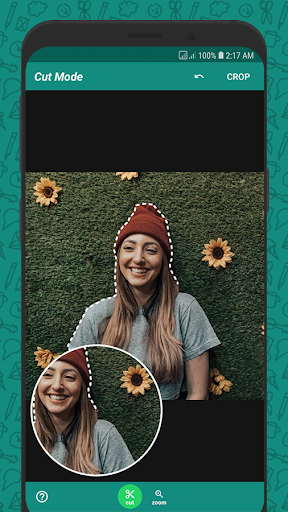
Might be the best Sticker Making App I've used so far. The little magnifying glass that let's you see where you're cutting is what got me. It should be indispensable in every app of this kind, yet so many lack it. It makes life so much easier. Maybe my only annoyance with it is that when it jumps to make room for my finger I lose my bearing and slightly mess up. Also, tiny bug I found: when you zoom in with the bottom-right pin, its 🔄also zooms in and gets distorted.
It does what it says on the tin. Allows you to crop in square, circle or free aim, but if you skip that step with properly cropped/alpha layered images you'll have crisp stickers. One ad per sticker added, which is fair for a free service. I've not had any crashes after adding a lot of stickers to the same folder. My advice: give it a go, see if it works for you. I can only say it had stellar (no problems) performance for me. (there's also other customization options, I don't care to use them)
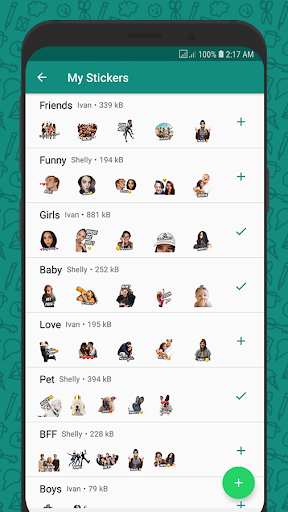
Great features, the interface is good. Ads aren't overly obtrusive, the cropping comes out clean. The option to share the stickers as a pack is very convenient, just hope it had an option to import from other apps. I have a few in another less convenient app which I used before but can't seem to copy them over to this one. Devs please find a way to import from other apps!
This app really offers a professional sticker maker service and the interface is quite easy to understand even for beginners. However, there is still a missing thing which is placement guide. It would be really helpful if you don't have to manually align the sticker to the frame and/or to the center. Would be 5 stars from me if you guys update it. Thanks!
It worked perfectly fine until recently. There's a bug where I want to insert my picture to be cut. The select source tab just won't go away. I chose my picture and is imported, but the tab pops out again. I tried to swipe it off, but it instantly closes the sticker cutter menu. When I open the menu again, the same problem still persist... I hope the devs are aware of this bug and can fix it as soon as possible...
It's nice, I made several packs of stickers. I just wish there was like a "magic Wand" selection tool or whatever because cutting out something from a photo manually is quite a hard job to do. Also, it would be appreciated if there was an option for left handed users to show the magnifying view on the right side of the screen while cutting.
Kirimkan komentar
Untuk memberikan komentar, masuklah dengan jejaring sosial Anda:
Atau tinggalkan komentar anonim. Komentar Anda akan dikirim untuk dimoderasi.
Kirimkan komentar
Untuk memberikan komentar, masuklah dengan jejaring sosial Anda:
Atau tinggalkan komentar anonim. Komentar Anda akan dikirim untuk dimoderasi.