



FilterBox Notification Manager
3+
unduhan5.1+
versi Android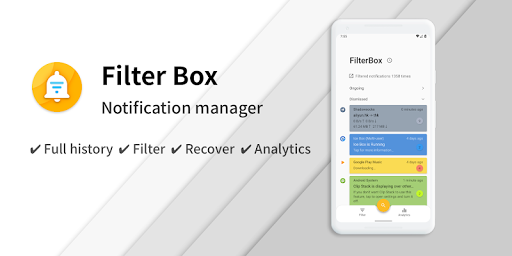

Ditambahkan: Denis Rubinov
Versi: 3.4.1
Ukuran: 53.5 MB
Diperbarui: 24.06.2025
Developer: Ruoxin He
Batasan Usia: Everyone
Otorisasi: 5
Diunduh di Google Play: 174728
Kategori: Alat
Deskripsi
Aplikasi FilterBox Notification Manager diperiksa oleh antivirus VirusTotal. Sebagai hasil pemindaian, tidak ada infeksi file yang terdeteksi oleh semua tanda tangan terbaru.
Cara memasang FilterBox Notification Manager
- Unduh file APK aplikasi dari apkshki.com.
- Temukan file yang diunduh. Anda dapat menemukannya di baki sistem atau di folder 'Download' menggunakan manajer file apa pun.
- Jika file yang diunduh berekstensi .bin (bug WebView di Android 11), ubah namanya menjadi .apk menggunakan pengelola file apa pun atau coba unduh file dengan browser lain seperti Chrome.
- Mulai penginstalan. Klik pada file yang diunduh untuk memulai penginstalan
- Izinkan penginstalan dari sumber yang tidak dikenal. Jika Anda menginstal untuk pertama kalinya FilterBox Notification Manager bukan dari Google Play, buka pengaturan keamanan perangkat Anda dan izinkan penginstalan dari sumber yang tidak dikenal.
- Lewati perlindungan Google Play. Jika proteksi Google Play memblokir penginstalan file, ketuk 'Info Lebih Lanjut' → 'Tetap instal' → 'OK' untuk melanjutkan..
- Selesaikan penginstalan: Ikuti petunjuk penginstal untuk menyelesaikan proses penginstalan.
Cara memperbarui FilterBox Notification Manager
- Unduh versi baru aplikasi dari apkshki.com.
- Cari file yang diunduh dan klik file tersebut untuk memulai penginstalan.
- Instal di atas versi lama. Tidak perlu menghapus instalasi versi sebelumnya.
- Hindari konflik tanda tangan. Jika versi sebelumnya tidak diunduh dari apkshki.com, pesan 'Aplikasi tidak terinstal' mungkin muncul. Dalam kasus ini, hapus instalan versi lama dan instal versi baru.
- Mulai ulang lampiran FilterBox Notification Manager setelah pembaruan.






Meminta pembaruan aplikasi
Ditambahkan Denis Rubinov
Versi: 3.4.1
Ukuran: 53.5 MB
Diperbarui: 24.06.2025
Developer: Ruoxin He
Batasan Usia: Everyone
Otorisasi:
Diunduh di Google Play: 174728
Kategori: Alat















Ulasan untuk FilterBox Notification Manager
Extremely good app... like LAFS
You never mention you need to pay money. I have no problem paying just please don't hide it. Inform me up front and I'll contribute to your patreon.
So far it's perfect for me. I can block really specific notifications which is otherwise not possible via system/app settings.
This app is perfect 👌🏻 👍🏻. That's it 😁
Works amazingly, and can even get rid of notifications you can't dismis or turn off. I'm not sure if these bad reviews are from people who didn't set it up correctly because it's worked flawlessly for my on 3 devices (with a few manual rules).
Nice idea, but not something I remember to get back to. Interface seems too clunky. The filter seems a bit better than my January test, at least, but it would be essential to have a notification with the amount (and summary!) of filtered notifications. Right now it only shows that it's running, with no useful information.
It's great. But it's hard to identify the notification channel because it tells you the channel ID but the label of the channel in Settings is different. If you click it, it opens the app's main settings instead of the notification channels setting.
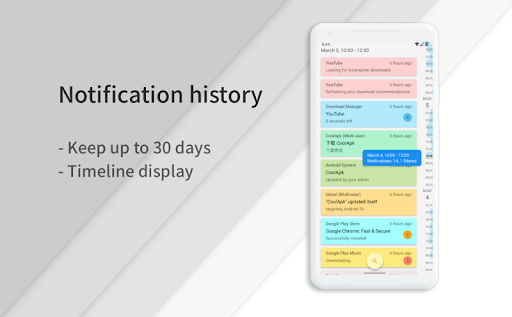
Finally all my history recorded and smart features to dismiss by rules.
I love this app, very well done. The advanced filtering is excellent. The only reason I didn't give 5 stars is because the header on the main page takes up over a quarter of the screen space before notifications. Is the a way to collapse that?
great help in reducing spam notifications and managing work related notifications
This is a very good app, once you get the hang of it. The setting up rules interface is a bit overwhelming the first time you see it but, you get used to it once you understand. Everything other than that is amazing. In can even see the notifications I dismissed from the notification center! Definitely give it a go! But as always, nothing is perfect & there is always room for improvement so I am just gonna take away one star for that.
It will be awesome if we could postpone the notifications at more than one time instead of getting whole day's notifications at a single time. Try to implement that idea like in the daywise app. Its truly convenient to get the notifications in batches. Other than that, the interface is beautiful and the app works as without any problems. Edit : Thank you for your fast response and this new feature. It works flawlessly😃. Dev is super active.
Very buggy and constantly slows to a crawl and then crashes. Some great functions, but would like to see the ability to add multiple times within one rule, eg this filter runs daily between 8am and 12pm, and 2pm and 7pm. At the moment I would have to set up two separate near identical rules.
I've been wading through notification managers on Google Play for hours looking for exactly this. My chief use: I have an app that monitors several devices and sends a notification when any of those devices does something. And while the text of each device's notification is different, the sound and the action taken by my app is the same. FilterBox lets me intercept the notification from my app, looks at the accompanying text, and for each different text lets me replace the app's default sound with one of my choosing., FilterBox is straightforward to use once you get used to it, but It really needs a good tutorial. And when I first installed I managed to put it into a loop that sucked up all my phone's memory. I deleted it, installed it again, and it now works well. I know of not other app that provides this level of differentiation.
All in all, this is a wonderful app. My only issue is when I tap on one of the notification headers (with the number in the circle indicating multiple notifications) the close button occupies the entire bottom and I can't see the time/date of the last notification in that list. I have to try to scroll it in such a way that I can barely see the time/date in the little gap between the bottom of the close button and the bottom of my screen. That's the only reason I didn't give it 5 stars.
Kirimkan komentar
Untuk memberikan komentar, masuklah dengan jejaring sosial Anda:
Atau tinggalkan komentar anonim. Komentar Anda akan dikirim untuk dimoderasi.
Kirimkan komentar
Untuk memberikan komentar, masuklah dengan jejaring sosial Anda:
Atau tinggalkan komentar anonim. Komentar Anda akan dikirim untuk dimoderasi.