



Ditambahkan: Denis Rubinov
Versi: 1.448
Ukuran: 8.5 MB
Diperbarui: 20.12.2021
Developer: fossor coding
Batasan Usia: Everyone
Otorisasi: 23
Diunduh di Google Play: 263519
Kategori: Alat
Deskripsi
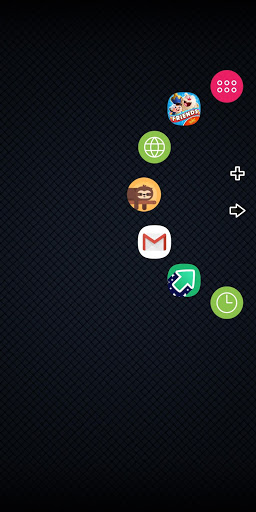
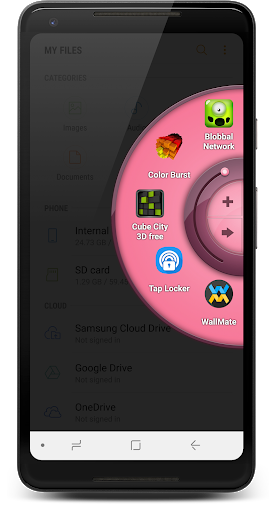
Aplikasi Wheel Launcher - sidebar diperiksa oleh antivirus VirusTotal. Sebagai hasil pemindaian, tidak ada infeksi file yang terdeteksi oleh semua tanda tangan terbaru.
Cara memasang Wheel Launcher - sidebar
- Unduh file APK aplikasi dari apkshki.com.
- Temukan file yang diunduh. Anda dapat menemukannya di baki sistem atau di folder 'Download' menggunakan manajer file apa pun.
- Jika file yang diunduh berekstensi .bin (bug WebView di Android 11), ubah namanya menjadi .apk menggunakan pengelola file apa pun atau coba unduh file dengan browser lain seperti Chrome.
- Mulai penginstalan. Klik pada file yang diunduh untuk memulai penginstalan
- Izinkan penginstalan dari sumber yang tidak dikenal. Jika Anda menginstal untuk pertama kalinya Wheel Launcher - sidebar bukan dari Google Play, buka pengaturan keamanan perangkat Anda dan izinkan penginstalan dari sumber yang tidak dikenal.
- Lewati perlindungan Google Play. Jika proteksi Google Play memblokir penginstalan file, ketuk 'Info Lebih Lanjut' → 'Tetap instal' → 'OK' untuk melanjutkan..
- Selesaikan penginstalan: Ikuti petunjuk penginstal untuk menyelesaikan proses penginstalan.
Cara memperbarui Wheel Launcher - sidebar
- Unduh versi baru aplikasi dari apkshki.com.
- Cari file yang diunduh dan klik file tersebut untuk memulai penginstalan.
- Instal di atas versi lama. Tidak perlu menghapus instalasi versi sebelumnya.
- Hindari konflik tanda tangan. Jika versi sebelumnya tidak diunduh dari apkshki.com, pesan 'Aplikasi tidak terinstal' mungkin muncul. Dalam kasus ini, hapus instalan versi lama dan instal versi baru.
- Mulai ulang lampiran Wheel Launcher - sidebar setelah pembaruan.



Meminta pembaruan aplikasi
Ditambahkan Denis Rubinov
Versi: 1.448
Ukuran: 8.5 MB
Diperbarui: 20.12.2021
Developer: fossor coding
Batasan Usia: Everyone
Otorisasi:
Diunduh di Google Play: 263519
Kategori: Alat















Ulasan untuk Wheel Launcher - sidebar
It seems to work pretty good except that the icons are a little bit small for me even when they're turned up as far as they can go in settings for size, and actually I would like to see some magnification action going on such as a center point of the wheel edging so that when an app is approaching the central point it would begin to magnify and enlarge about the size of a quarter (or more from settings adjustment) and shrink as you turn the wheel to the next app.
I really did like this app, but I have to uninstall it for 2 reasons. First, it keeps closing even though I have it excluded from battery saving and do not disturb. Second, when I allow this app permission to Draw Over Other Apps, it negatively affects the touchscreen capability in other apps. If you can use it without those problems, it's a great app. Developer, if you see this, I tried to send you an email at the address listed but it was rejected. If we can fix this I'll change my rating.
Love the app! Nice graphics, smooth animation, and easy to use. You can buy the full version, and also download and use the Lite version at the same time for Double the interface! Only issue I have so far is that both the "triggers" keep auto re-positioning to the top corners of the screen, even though I keep positioning them on the lower sides corners. Workaround is to position the trigger(s) where you want in the apps Settings, then turn off the "Movable" function. Great app regardless!
Great app so far! One thing though is that I've made the trigger area visible and sometimes, it doesn't display... so I can't bring up Wheel Launcher. Anyway, what I'd like to see is the ability to swipe right (on a wheel placed on the left side) which then switches wheels... For example, I could have a navigation/travel wheel, and then a mail/communication wheel, and a social media wheel, etc. Also, perhaps one of these wheels would be recents. I know there are folders but I have folders on my launcher and they are not the most convenient in quickly navigating. This feature would definitely make the paid version worth it!
One issue is just annoying enough to make me turn it off. I am unable to use my keyboard in other apps when this is activated. Once I turn it off the issue is gone. Think it is an issue with drawing over other apps. If that was fixed I'd consider this a 5 star app. Does everything else it says it does well.
Great app, it makes multitasking very convenient and easy with Android 7.0 and newer. The trigger bar does reset its position though - I wonder if this can be fixed. I have also tried turning off "movable" in Trigger. Actually, I think I understand why - my trigger's too big and it resets itself when I rotate my screen.
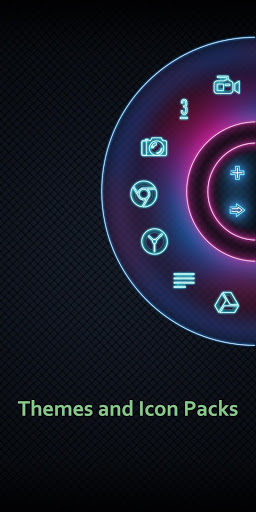
I'd been using the free version for a while but bought the full one yesterday to support the dev and figured I might as well post the review on the free version as well. I've tried many sidebars/side launchers but this is hands down THE best one! Not only can you pick a different icon pack to use, but you can manually assign different icons to each app too - comes in handy when your icon pack doesn't support all apps yet. You can rename an app, remove the name completely ... tons of options, not to mention the different themes for the wheel. Dev is fast to reply to issues as well, so the 5 stars are definitely deserved! Only thing missing is a dark theme for the app itself, or an option to have it follow SystemUI ... but I'm hopeful that we'll get that one day :)
One of the better ones if not the BEST. My small advise, before ComplaiNed that this App lacks any feautures pls carefully go through it 1st...because this has almost ALL the commonly requested features..I personally likes it so much, its just that a bit TOO Mainstreams to my liking. But will stick with it for Now.. Thank You DEV!!!. U certainly know what u r doing.. its just that phones nowadays aggrasively terminating backround Apps makes the experiences a bit off...
Nice app, I really wanted to use it but resolution/size of menus is too tall for it to work on my Android head unit, or on my phone when in horizontal mode. The 'done' button is hidden so my settings cannot be applied.
Hey, "credit due", when my tablet froze up and the touch screen was nonresponsive, your wheel launcher popped out when I tossed the tablet on a chair. Now, getting everything to work was "f"ing complicated, but it was all possible because your wheel launcher gave me access and opened programs. I'm leaving this review on that tablet, now. So thank you.
Kirimkan komentar
Untuk memberikan komentar, masuklah dengan jejaring sosial Anda:
Atau tinggalkan komentar anonim. Komentar Anda akan dikirim untuk dimoderasi.
Kirimkan komentar
Untuk memberikan komentar, masuklah dengan jejaring sosial Anda:
Atau tinggalkan komentar anonim. Komentar Anda akan dikirim untuk dimoderasi.