



Comatose — Android Deep Sleep
0+
unduhan6.0+
versi Android
Ditambahkan: Denis Rubinov
Versi: 3.0.2
Ukuran: 2 MB
Diperbarui: 24.06.2025
Developer: Tyler Nijmeh
Batasan Usia: Everyone
Otorisasi: 2
Diunduh di Google Play: 5865
Kategori: Alat
- Ukuran program sangat kecil.
- Tidak diperlukan pembayaran.
- Tidak ada iklan.
Deskripsi
Aplikasi Comatose — Android Deep Sleep diperiksa oleh antivirus VirusTotal. Sebagai hasil pemindaian, tidak ada infeksi file yang terdeteksi oleh semua tanda tangan terbaru.
Cara memasang Comatose — Android Deep Sleep
- Unduh file APK aplikasi dari apkshki.com.
- Temukan file yang diunduh. Anda dapat menemukannya di baki sistem atau di folder 'Download' menggunakan manajer file apa pun.
- Jika file yang diunduh berekstensi .bin (bug WebView di Android 11), ubah namanya menjadi .apk menggunakan pengelola file apa pun atau coba unduh file dengan browser lain seperti Chrome.
- Mulai penginstalan. Klik pada file yang diunduh untuk memulai penginstalan
- Izinkan penginstalan dari sumber yang tidak dikenal. Jika Anda menginstal untuk pertama kalinya Comatose — Android Deep Sleep bukan dari Google Play, buka pengaturan keamanan perangkat Anda dan izinkan penginstalan dari sumber yang tidak dikenal.
- Lewati perlindungan Google Play. Jika proteksi Google Play memblokir penginstalan file, ketuk 'Info Lebih Lanjut' → 'Tetap instal' → 'OK' untuk melanjutkan..
- Selesaikan penginstalan: Ikuti petunjuk penginstal untuk menyelesaikan proses penginstalan.
Cara memperbarui Comatose — Android Deep Sleep
- Unduh versi baru aplikasi dari apkshki.com.
- Cari file yang diunduh dan klik file tersebut untuk memulai penginstalan.
- Instal di atas versi lama. Tidak perlu menghapus instalasi versi sebelumnya.
- Hindari konflik tanda tangan. Jika versi sebelumnya tidak diunduh dari apkshki.com, pesan 'Aplikasi tidak terinstal' mungkin muncul. Dalam kasus ini, hapus instalan versi lama dan instal versi baru.
- Mulai ulang lampiran Comatose — Android Deep Sleep setelah pembaruan.








Meminta pembaruan aplikasi
Ditambahkan Denis Rubinov
Versi: 3.0.2
Ukuran: 2 MB
Diperbarui: 24.06.2025
Developer: Tyler Nijmeh
Batasan Usia: Everyone
Otorisasi:
Diunduh di Google Play: 5865
Kategori: Alat















Ulasan untuk Comatose — Android Deep Sleep
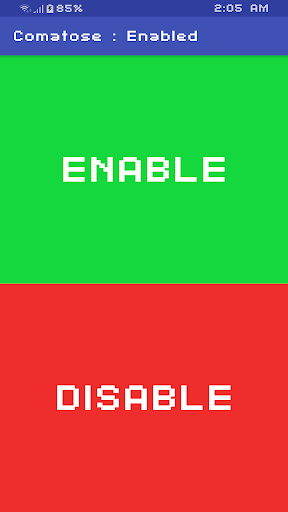
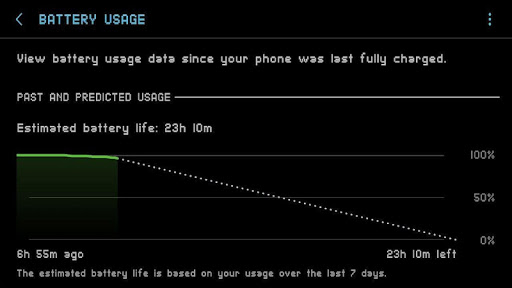
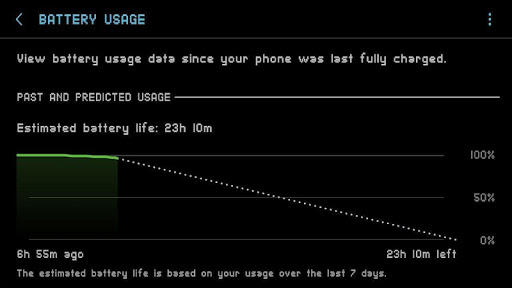
Amazing!!! I was constantly loosing 40%+ battery overnight. Aftee installing this app, setting it up, and enabling it I now loose about 3%-5% overnight. It really does help!! My only complaint is that the button is too big. If you use this developer's Immersive app at the same time then swiping up from the bottom to get the navigation bar to show will count as clicking the Comatose enable/disable button. What this app can do more than makes up for this slighty inconvenience thought! Thank you!!!
Works flawlessly on OneUI 2.0 . Reduced the overnight battery drain from around 10% to 1%. I can now sleep for 8 hrs and wake up to see the same battery percentage on my phone as I left it when I went to sleep. Amazing work. 10/10 highly recommended for everyone .
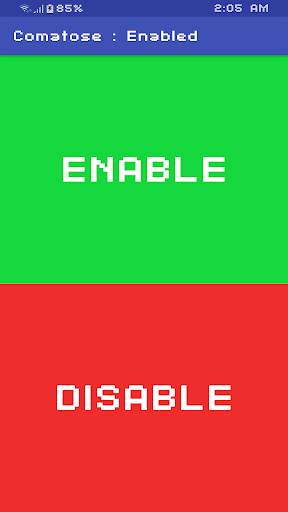
Seems to work well. I see under Gsam my device seems to be dozing as per what I expected with this app. I only wish that the app will inform which profile is currently active, it is hard to remember what was activated. 5 stars if that basic info is given. Should also add a donate button for users.
Has anyone tried this on new phone like Note 20 Ultra? Just curious if it would work properly. (I installed on my Note 20 Ultra and works great. Overnight I had only dropped .5%. But when I check Gsam battery stats I notice it stays in light doze mode the whole time. But hey it works. Also installed on Galaxy S20+.
It does make the device enter doze faster but it doesn't disable the motion sensors. if the developer has any suggestions I'll rate it 5 stars
It seems to work well, but after going into deep doze by a few minutes, I start to have some random reboots.
Cool new icon. I like the new 5 options (but) the previous version showed if comatose was running or disabled. Thank you for updating!
Best Battery Saver on the Play Store. On my Samsung Galaxy S9 running 9.0 I got 15 hours of total usage, 7 hours SOT. Amazing!
I'm kinda confused whether or not its working so, I want to ask, if I'm doing something wrong like, do I have to whitelist the app from task killer? or something else? thanks
A highlighted button for applied profile would be appreciated, i don't remember which profile applied so i kept applying default-then my desired profile.
Kirimkan komentar
Untuk memberikan komentar, masuklah dengan jejaring sosial Anda:
Atau tinggalkan komentar anonim. Komentar Anda akan dikirim untuk dimoderasi.
Kirimkan komentar
Untuk memberikan komentar, masuklah dengan jejaring sosial Anda:
Atau tinggalkan komentar anonim. Komentar Anda akan dikirim untuk dimoderasi.