



Meteor Speed Test 4G, 5G, WiFi
6+
unduhan4.1+
versi Android

Ditambahkan: Denis Rubinov
Versi: 2.43.1-1
Ukuran: 9.7 MB
Diperbarui: 02.02.2024
Developer: Opensignal.com
Batasan Usia: Everyone
Otorisasi: 11
Diunduh di Google Play: 8112366
Kategori: Alat
Deskripsi
Aplikasi Meteor Speed Test 4G, 5G, WiFi diperiksa oleh antivirus VirusTotal. Sebagai hasil pemindaian, tidak ada infeksi file yang terdeteksi oleh semua tanda tangan terbaru.
Cara memasang Meteor Speed Test 4G, 5G, WiFi
- Unduh file APK aplikasi dari apkshki.com.
- Temukan file yang diunduh. Anda dapat menemukannya di baki sistem atau di folder 'Download' menggunakan manajer file apa pun.
- Jika file yang diunduh berekstensi .bin (bug WebView di Android 11), ubah namanya menjadi .apk menggunakan pengelola file apa pun atau coba unduh file dengan browser lain seperti Chrome.
- Mulai penginstalan. Klik pada file yang diunduh untuk memulai penginstalan
- Izinkan penginstalan dari sumber yang tidak dikenal. Jika Anda menginstal untuk pertama kalinya Meteor Speed Test 4G, 5G, WiFi bukan dari Google Play, buka pengaturan keamanan perangkat Anda dan izinkan penginstalan dari sumber yang tidak dikenal.
- Lewati perlindungan Google Play. Jika proteksi Google Play memblokir penginstalan file, ketuk 'Info Lebih Lanjut' → 'Tetap instal' → 'OK' untuk melanjutkan..
- Selesaikan penginstalan: Ikuti petunjuk penginstal untuk menyelesaikan proses penginstalan.
Cara memperbarui Meteor Speed Test 4G, 5G, WiFi
- Unduh versi baru aplikasi dari apkshki.com.
- Cari file yang diunduh dan klik file tersebut untuk memulai penginstalan.
- Instal di atas versi lama. Tidak perlu menghapus instalasi versi sebelumnya.
- Hindari konflik tanda tangan. Jika versi sebelumnya tidak diunduh dari apkshki.com, pesan 'Aplikasi tidak terinstal' mungkin muncul. Dalam kasus ini, hapus instalan versi lama dan instal versi baru.
- Mulai ulang lampiran Meteor Speed Test 4G, 5G, WiFi setelah pembaruan.







Meminta pembaruan aplikasi
Ditambahkan Denis Rubinov
Versi: 2.43.1-1
Ukuran: 9.7 MB
Diperbarui: 02.02.2024
Developer: Opensignal.com
Batasan Usia: Everyone
Otorisasi:
Diunduh di Google Play: 8112366
Kategori: Alat















Ulasan untuk Meteor Speed Test 4G, 5G, WiFi
It's fairly simple to use and completes a speed test quickly depending on Internet speeds.
simple and quick to use.
bakwas app
I like this app pretty good. The interface is nice and it's easy to use.
Fast and user friendly
Работает
very good apps
Quite good
amazing
good
Nice looking app but doesn't function as well as others for me. Seems to temporarily disconnect my connection after running the test, but it's happened 3 times, so it appears to be a thing. And a biggie for me, no way to stop the test in the middle. So even if the first gets fixed, I really need the second since many times, I'm just checking overall and getting the download speed is plenty. Update - still no way to stop the test, but it no longer disconnects to get its result, so an improvement
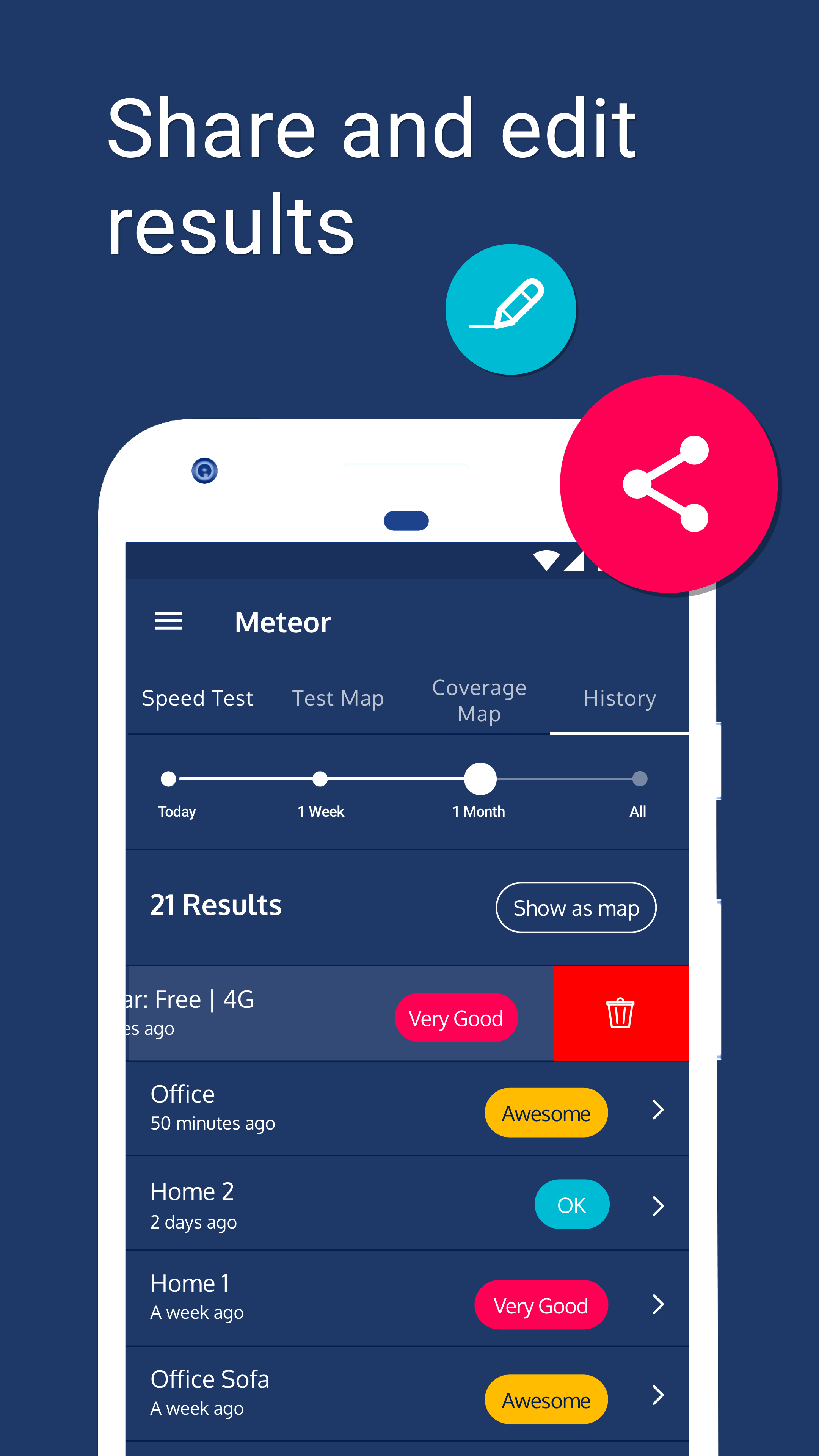
Tried several speed testing tools incl the "famous one". This one is the best by far. So now my speed tool of choice. Doesnt run in the background like some others (data collection?) and using too much resources. Excellent. I also like the history tab, even though you have to click a few times to see the full info on the map. Message monster is cool🙂 if 6 stars were possible I would reward them.
I love the app it's always served it's purpose just fine but as of the latest update, selecting which apps to test force closes the app. It also force closes seemingly at random which is irritating. I'll keep it for now but if this isn't fixed I'll be using another speed test app. Otherwise it's a five-star app- no ads, clear results, history, filtering by signal mode, *optional* location permission to plot tests on map, and clean UI.
Excellent App. It's easy to use and delivers accurate and easy to understand results in clear, precise language. This is the App to use if you want to know if your Wi-Fi speeds are fast enough for streaming. Plus you can also check how your WiFi will work with the Apps on your phone or tablet
Apr. 25, 2021. Updated to latest version (4/13/21) and still never get a response when trying to ping a server for the the test! Oct. 21,2020 Update: App stopped working about a month ago. Latest update still cannot ping a server. Several other apps work without issue. Original: One of the best wifi speed test apps available. WiFiMan has more features. But Meteor is always the first speedtest I run whenever I suspect an issue.
Kirimkan komentar
Untuk memberikan komentar, masuklah dengan jejaring sosial Anda:
Atau tinggalkan komentar anonim. Komentar Anda akan dikirim untuk dimoderasi.
Kirimkan komentar
Untuk memberikan komentar, masuklah dengan jejaring sosial Anda:
Atau tinggalkan komentar anonim. Komentar Anda akan dikirim untuk dimoderasi.