


Opensignal - 5G, 4G Speed Test
26+
unduhan4.1+
versi Android
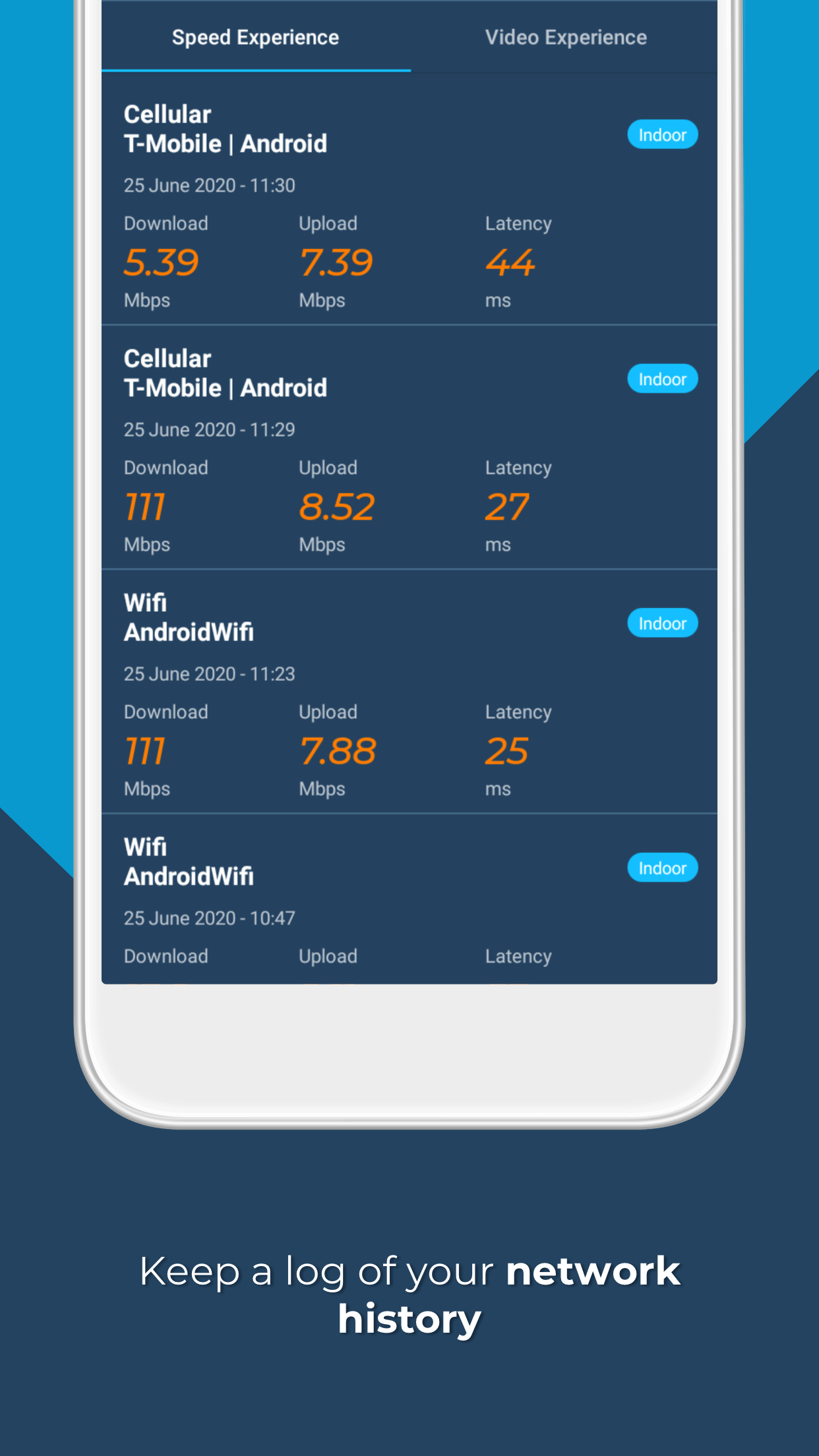
Ditambahkan: Denis Rubinov
Versi: 7.86.0
Ukuran: 14.3 MB
Diperbarui: 24.06.2025
Developer: Opensignal.com
Batasan Usia: Everyone
Otorisasi: 12
Diunduh di Google Play: 34156893
Kategori: Alat
Deskripsi
Aplikasi Opensignal - 5G, 4G Speed Test diperiksa oleh antivirus VirusTotal. Sebagai hasil pemindaian, tidak ada infeksi file yang terdeteksi oleh semua tanda tangan terbaru.
Cara memasang Opensignal - 5G, 4G Speed Test
- Unduh file APK aplikasi dari apkshki.com.
- Temukan file yang diunduh. Anda dapat menemukannya di baki sistem atau di folder 'Download' menggunakan manajer file apa pun.
- Jika file yang diunduh berekstensi .bin (bug WebView di Android 11), ubah namanya menjadi .apk menggunakan pengelola file apa pun atau coba unduh file dengan browser lain seperti Chrome.
- Mulai penginstalan. Klik pada file yang diunduh untuk memulai penginstalan
- Izinkan penginstalan dari sumber yang tidak dikenal. Jika Anda menginstal untuk pertama kalinya Opensignal - 5G, 4G Speed Test bukan dari Google Play, buka pengaturan keamanan perangkat Anda dan izinkan penginstalan dari sumber yang tidak dikenal.
- Lewati perlindungan Google Play. Jika proteksi Google Play memblokir penginstalan file, ketuk 'Info Lebih Lanjut' → 'Tetap instal' → 'OK' untuk melanjutkan..
- Selesaikan penginstalan: Ikuti petunjuk penginstal untuk menyelesaikan proses penginstalan.
Cara memperbarui Opensignal - 5G, 4G Speed Test
- Unduh versi baru aplikasi dari apkshki.com.
- Cari file yang diunduh dan klik file tersebut untuk memulai penginstalan.
- Instal di atas versi lama. Tidak perlu menghapus instalasi versi sebelumnya.
- Hindari konflik tanda tangan. Jika versi sebelumnya tidak diunduh dari apkshki.com, pesan 'Aplikasi tidak terinstal' mungkin muncul. Dalam kasus ini, hapus instalan versi lama dan instal versi baru.
- Mulai ulang lampiran Opensignal - 5G, 4G Speed Test setelah pembaruan.






Meminta pembaruan aplikasi
Ditambahkan Denis Rubinov
Versi: 7.86.0
Ukuran: 14.3 MB
Diperbarui: 24.06.2025
Developer: Opensignal.com
Batasan Usia: Everyone
Otorisasi:
Diunduh di Google Play: 34156893
Kategori: Alat















Ulasan untuk Opensignal - 5G, 4G Speed Test
excelente, pienso que da una verdadera velocidad o mejor dicho más acertado en medir la velocidad del internet
very good performance for app... super
useless
GREAT for what I needed it for.
🥰BEST UK GB mobile SIGNAL & DATA speed test app as I'm on 100% RUBBISH SLOW O2 GIFFGAFF MOBILE NETWORK & MY SIGNAL strength is regularly 1&2 bars on 4g - UNTIL I TEST it with THIS APP & the EXCELLENT Speedtester app by Ookla &then get 3&4 bars. Use the 100% BEST FREE Speedtest app by Ookla as this ADDs EVIDENCE to this app & includes the built-in DOWNDETECTOR.co.uk website tab to report low/NO signal strength/SLOW Data speeds. You must Report unresolved signal & data probs to OFCOM website....
Pretty interesting
🥰🥰
👍
Inaccurate data. I will be withing 100 feet of my providers tower but the app says I am locked into a tower 10 miles away that's behind a bunch of elevation. Cell towers are not updated and presented data is often inaccurate.
tower mapping is the best feature
This App still does not accurately display the correct tower that you are connected. Other apps show I am connected to different towers and moving to other towers as the signal changes. Open signal always displays connected to the same incorrect tower with no changes. Many of the towers are not found on open signal maps. open signal tower maps have not been updated in the past year or more. This app should also be updated to display the band that the tower is using like other apps.
Sporadic updates keep me from rating this app higher. My data doesn't seem to be getting used. At one time the map was getting updated very roughly every 6 weeks, but it has been almost a year now, the old data has aged out, but none of the new data I have collected has been added. Also, the algorithm for locating a tower is pretty inaccurate. 120.degree sectors appear to be separate towers in completely different locations, some of which are out in open water, which is impossible.
I've used this app for at least a year. I'm a huge fan of crowd sourced metrics. So being able to see carrier stats based on location is awesome. There is a feature I don't really understand, and that's the compass tower finder. It's never pointed in the direction of a nearby tower. One time, being close to a tower I was curious to see if the app pointed to it and when I opened the app it was pointing in a completely different direction. I could see the appeal, but I haven't seen it work. Last thing is recently my pixel XL has stopped reporting stats. Not sure if it is the new Android version or not but if I close the app, and opening it again sometime later to view my stats, it starts from zero like it hasn't been on.
Amazing app, very useful for comparing networks and speeds in different areas. I've used it for years. However, lately the speed test seems inaccurate. It always used to provide results reasonably close to those of all other testing apps/websites. Lately, it has been reporting speeds that are more than twice as fast as other sources. Realistically, it could theoretically be T-Mobile recognizing the speed test traffic and manipulating results to provide a better network rating on the app. It would be interesting to know if other users from the same, and other, networks are experiencing this is well. It would be quite the scandal if this were occurring.
In a dual SIM phone, the speed test report assigns test results according to SIM 1, even if SIM 2 were used for the test. I get pretty good speeds on AT&T (despite getting LTE+ only on my unlocked phone) so have that SIM in slot 1, but once in a while I want to figure out if T-Mobile 5G has improved to switch to SIM #2 for a test. These dismal results are then attributed to AT&T. Likely this means that OpenSignal's entire dataset is suspect.
Kirimkan komentar
Untuk memberikan komentar, masuklah dengan jejaring sosial Anda:
Atau tinggalkan komentar anonim. Komentar Anda akan dikirim untuk dimoderasi.
Kirimkan komentar
Untuk memberikan komentar, masuklah dengan jejaring sosial Anda:
Atau tinggalkan komentar anonim. Komentar Anda akan dikirim untuk dimoderasi.